bfcache: How to Make Back Button Navigation Instant (and What Blocks It)
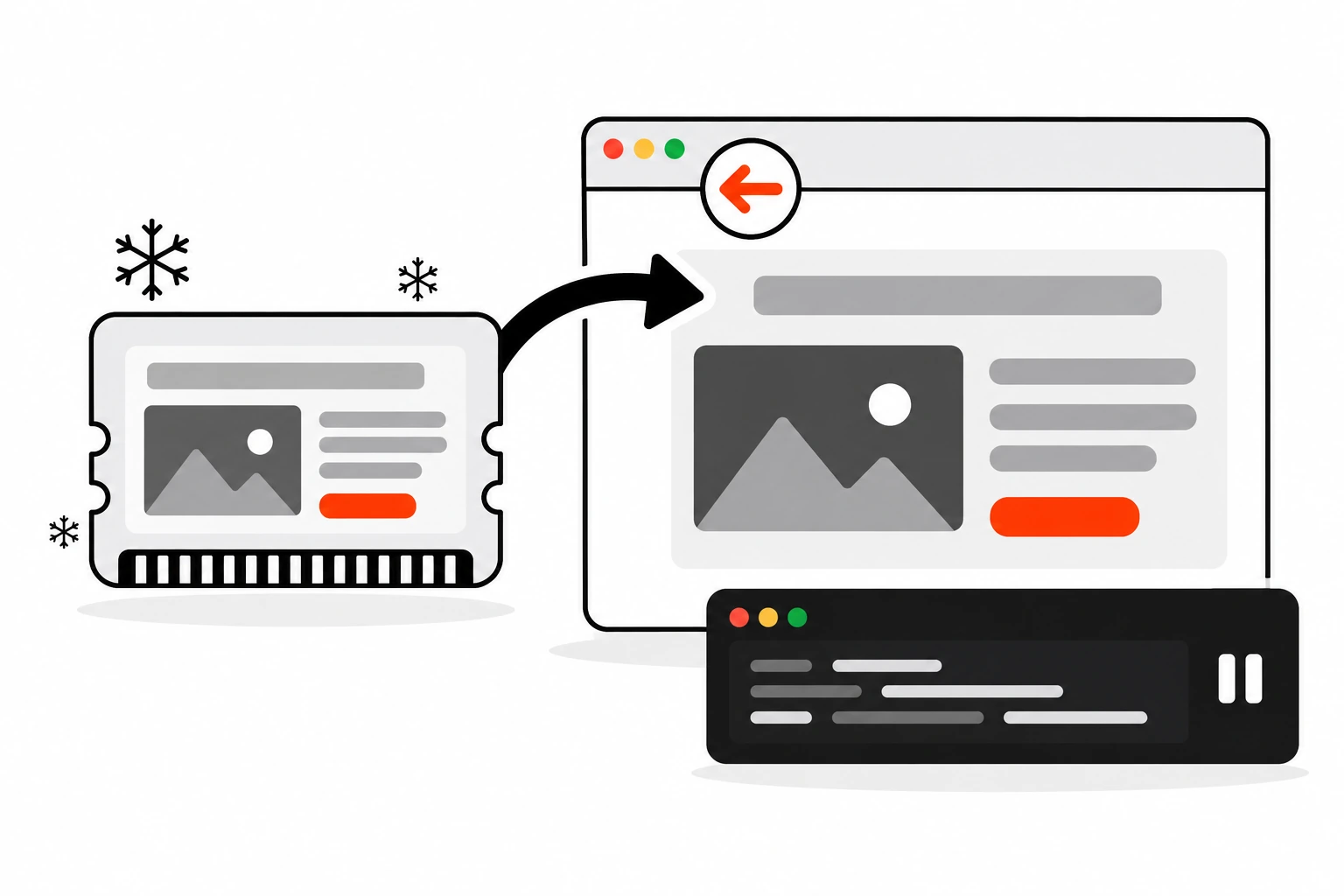
Click a link, realize it’s the wrong page, hit back. On some sites the previous page is just there, scrolled to the same spot, with your half-typed search still in the box. On others you wait for a full reload. The difference is usually bfcache, the browser’s back/forward cache, and whether your page is allowed to use it.
Most developers never think about it because the browser does the work for free. But a single line of old JavaScript, or one header copied from a security checklist, can quietly switch it off for every visitor. This guide covers what bfcache is, what blocks it, how I test for it, and the fixes that keep pages eligible.
Key takeaways
- bfcache keeps a full snapshot of a page in memory, including the JavaScript heap, so back and forward navigation can restore it almost instantly.
- It’s a different thing from the HTTP cache. Restores don’t hit the network and don’t revalidate.
- The
unloadevent is the classic blocker. Usepagehideinstead.Cache-Control: no-storeon the HTML page has historically kept pages out of bfcache, so save it for pages that are really sensitive.- Test it in Chrome DevTools under Application, then Back-forward Cache, and refresh stale or private data in a
pageshowhandler.
Short answer: bfcache is a browser optimization that keeps a page frozen in memory after you leave it, so pressing back or forward restores it instantly instead of reloading. To keep your pages eligible, never use the unload event, avoid Cache-Control: no-store on normal pages, close open connections in pagehide, and test with the Back-forward Cache panel in Chrome DevTools.
What is bfcache and how is it different from the HTTP cache?
bfcache, short for back/forward cache, stores a complete snapshot of a page in memory when you navigate away, including the DOM and the JavaScript heap. The HTTP cache only stores individual responses like HTML, CSS and images. A bfcache restore skips the network, parsing and script execution entirely, so it’s faster than any normal reload.
Here’s what happens when a page goes into bfcache:
- You click a link or submit a form that leads to a new page.
- Instead of destroying the old page, the browser pauses it. Timers stop, pending promises wait, and JavaScript stops running.
- If you press back soon enough, the browser makes the page visible again and resumes JavaScript exactly where it stopped.
- If you don’t come back, the browser eventually throws the snapshot away to free memory.
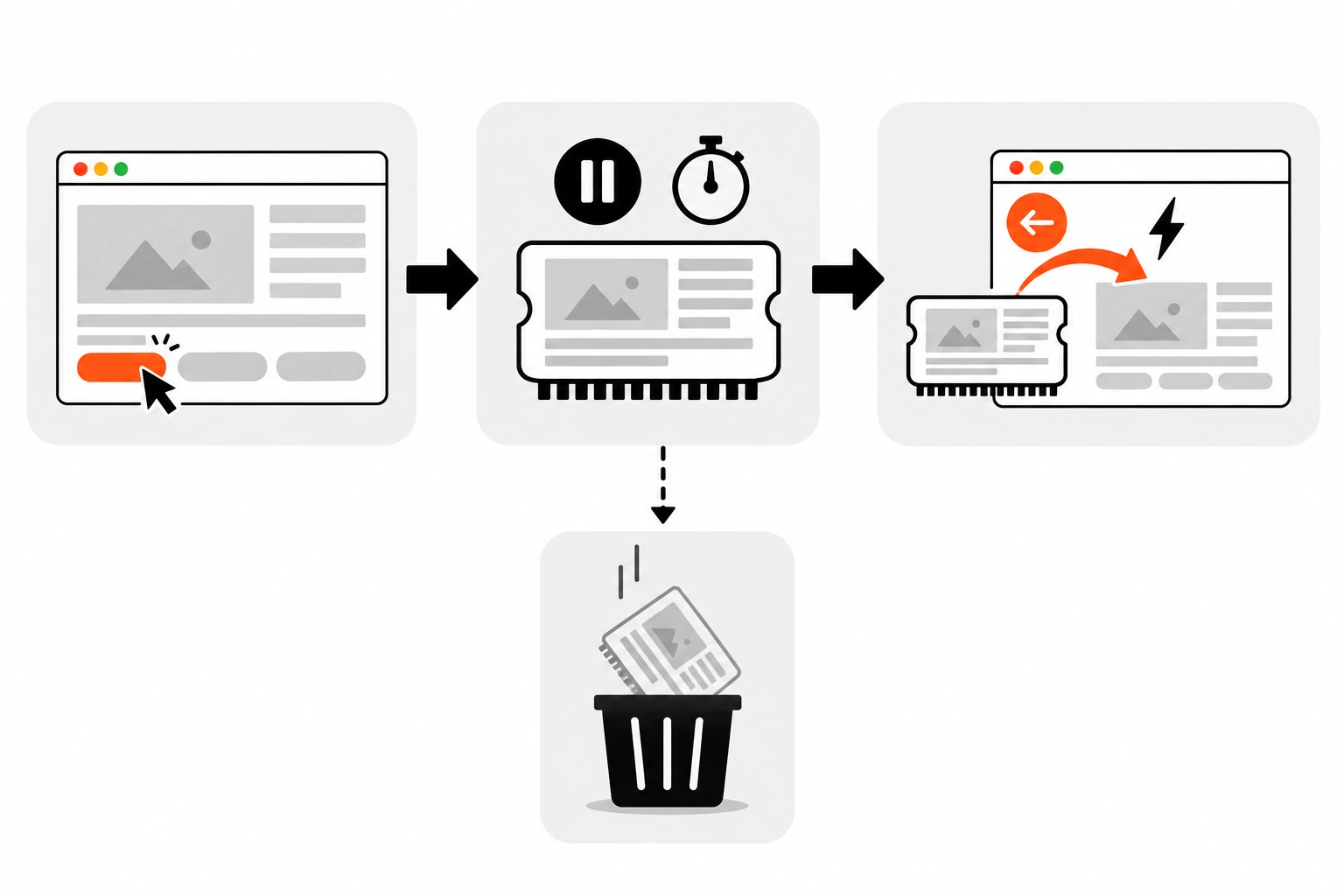
The web.dev guide to bfcache puts the speed difference simply: without it, the browser starts a new request and may have to re-download, re-parse and re-run resources. With it, the page is restored from memory without going to the network at all. All major browsers have a bfcache. Chrome has had one since version 96, and Firefox and Safari have their own.
That last point about memory is why the HTTP cache can’t compete. Even a perfectly tuned set of Cache-Control headers still means the browser rebuilds the page from responses. bfcache hands back the page that already existed.
Why does bfcache matter for web performance?
Back and forward clicks are far more common than most teams assume. Chrome’s usage data, quoted on web.dev, shows about 1 in 10 desktop navigations and 1 in 5 mobile navigations are back or forward. Every one of those that misses bfcache becomes a full page load the visitor didn’t need to wait for.
Think about how people actually browse. They open a product, go back to the list, open another, go back again. They read a blog post, jump back to search results, try the next one. Each of those return trips is either instant or it isn’t.
It also saves data. Nothing gets downloaded again on a restore, which matters on slow or metered mobile connections.
And it shows up in your field metrics. Tools like the Chrome User Experience Report treat bfcache restores as separate page visits, and a restore paints almost immediately. If you’ve been tuning LCP or chasing slow clicks for INP, bfcache is one of the cheapest wins on the list because the fix is often deleting code, not writing it.
What blocks bfcache on a page?
The most common blockers are an unload event listener, Cache-Control: no-store on the main HTML response, a live window.opener relationship, and open connections such as IndexedDB transactions, in-progress fetch() requests or WebRTC. Third-party scripts can add any of these without you noticing.
Browsers don’t all follow the same rules, which is why I always check the actual reason in DevTools instead of guessing. Here’s how I think about the usual suspects:
| Blocker | Why it blocks | Fix |
|---|---|---|
unload listener | Old code assumes the page is gone after unload runs | Switch to pagehide |
Cache-Control: no-store on the HTML | Browsers have historically refused to keep these pages | Use no-cache or max-age=0 unless the page is sensitive |
window.opener reference | Another window may still be reaching into this page | Use rel="noopener" and avoid scripting opened windows |
| Open IndexedDB connection | Pausing it could block other tabs on the same origin | Close it in pagehide, reopen in pageshow |
In-progress fetch() or XHR | Some browsers won’t freeze a page mid-request | Abort or finish requests before leaving |
| WebSocket or WebRTC connection | Shared connections can’t be safely paused everywhere | Disconnect in pagehide, reconnect on restore |
Unconditional beforeunload | Used to block bfcache and is still unreliable | Add it only while there are unsaved changes |
One nuance worth knowing: web.dev notes that Chrome (as of version 149) and Safari no longer block on open WebSockets, but other browsers still do. So closing them on pagehide is still the safe default.
How do you replace the unload event with pagehide?
Move whatever runs in your unload handler into a pagehide listener. pagehide fires in every case where unload fires, and it also fires when a page goes into bfcache. Then add a Permissions-Policy: unload=() header if you want Chromium browsers to stop scripts from adding new unload listeners.
This is the single biggest fix. The web.dev guide is blunt about it: never use the unload event. Chrome has deprecated it, so it doesn’t fire in Chrome anymore (except on iOS, where every browser uses WebKit). Firefox on desktop treats a page with an unload listener as ineligible for bfcache. Safari may cache the page but skip running the handler. So the event is unreliable everywhere and harmful in some places.
Here’s the swap:
// Before: blocks bfcache in Firefox and barely runs elsewhere
window.addEventListener("unload", () => {
  navigator.sendBeacon("/analytics/leave", JSON.stringify(getSessionData()));
});

// After: runs on every exit, including when the page enters bfcache
window.addEventListener("pagehide", (event) => {
  navigator.sendBeacon("/analytics/leave", JSON.stringify(getSessionData()));
  if (event.persisted) {
    // The browser intends to keep this page in bfcache
  }
});
The persisted flag on pagehide tells you the browser intends to cache the page. It isn’t a guarantee, since something else can still disqualify it, but a false value means it definitely won’t be cached.
If your own code is clean, the risk is usually a plugin or tag manager script. You can lock that down with a response header:
Permissions-Policy: unload=()That policy only works in Chromium-based browsers, so treat it as a guardrail, not a full fix. Lighthouse also has a no-unload-listeners audit that flags any script on the page adding an unload listener, including third-party ones.
For beforeunload, the rule is different. It has real uses, like warning someone who’s about to lose a half-filled form. Just add it when there are unsaved changes and remove it once they’re saved, instead of attaching it on page load and leaving it there.
Does Cache-Control: no-store stop bfcache?
Usually, yes. When the main HTML response has Cache-Control: no-store, browsers have historically refused to put the page in bfcache. Use no-store only for pages with truly sensitive data. For content that just needs to be fresh, no-cache or max-age=0 forces revalidation without hurting bfcache eligibility.
This one surprises people because bfcache isn’t an HTTP cache. But browsers have treated no-store on the page itself as a signal not to keep a copy of it anywhere. Web.dev mentions that Chrome is working on changing this in a privacy-preserving way. I wouldn’t plan around that until it actually ships everywhere.
The mistake I look for is no-store spread across a whole site because someone wanted pages to be “always fresh”. That’s the wrong tool for the job. It only makes sense on login-gated screens with personal data, payment flows, password resets and similar pages.
There’s a related gotcha. A bfcache restore comes from memory, so no-cache and max-age=0 aren’t consulted at all. No revalidation happens. For most pages that’s fine because snapshots don’t live long. For data that changes minute to minute, you refresh it yourself, which is the next section.
How do you handle stale or sensitive data after a bfcache restore?
Listen for the pageshow event and check event.persisted. When it’s true, the page came back from bfcache, so refresh anything time-sensitive like cart counts, stock levels or notifications. If the user has logged out since, reload or redirect so private data from the old snapshot isn’t shown.
The MDN reference for the pageshow event lists bfcache restores as one of the cases where it fires. It also fires on the first load, right after load, which is why the persisted check matters.
window.addEventListener("pageshow", async (event) => {
  if (!event.persisted) return;

  // Page was restored from bfcache: refresh live data in place
  const res = await fetch("/api/cart/summary", { credentials: "same-origin" });
  if (res.status === 401) {
    // Signed out since this snapshot was taken
    location.replace("/login");
    return;
  }
  const { count } = await res.json();
  document.querySelector("[data-cart-count]").textContent = String(count);
});
The logout case is the one I care about most. Picture a shared computer. Someone signs out, walks away, and the next person presses back. Without a check, they could see the account page exactly as it was. Web.dev’s example reloads the page if a session cookie is missing. My version asks the server, but the idea is the same.
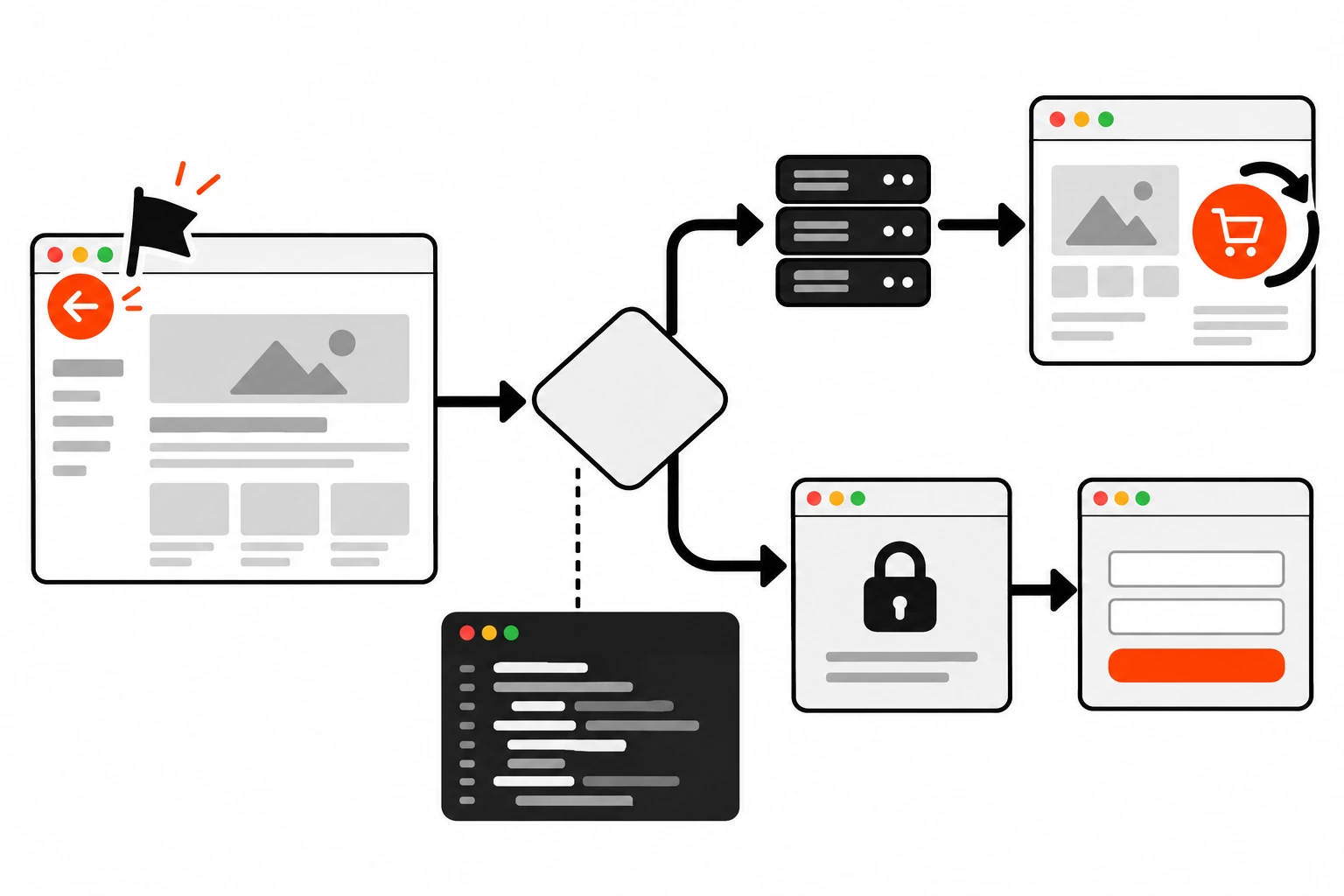
Prefer updating in place over a full reload where you can. A reload throws away the whole point of the instant restore. Save it for the cases where the page can’t be trusted anymore, like a changed login state.
How do you keep IndexedDB and WebSocket connections from blocking bfcache?
Close shared connections in pagehide and reopen them in pageshow. Browsers avoid caching pages that hold an open IndexedDB connection, an in-progress request or a WebRTC session, because pausing them could break other tabs on the same origin. Tearing them down before leaving keeps the page eligible.
Here’s a small pattern for IndexedDB that follows the approach in the web.dev guide:
let dbPromise = null;

function openDB() {
  if (!dbPromise) {
    dbPromise = new Promise((resolve, reject) => {
      const req = indexedDB.open("app-db", 1);
      req.onupgradeneeded = () => req.result.createObjectStore("drafts");
      req.onsuccess = () => resolve(req.result);
      req.onerror = () => reject(req.error);
    });
  }
  return dbPromise;
}

window.addEventListener("pagehide", () => {
  if (dbPromise) {
    dbPromise.then((db) => db.close());
    dbPromise = null;
  }
});

window.addEventListener("pageshow", () => openDB());
The same shape works for WebSockets. Close the socket on pagehide, reconnect on pageshow when persisted is true, and make sure you don’t end up with two connections if your reconnect logic also runs on close events.
For long fetch() calls, an AbortController gives you a clean way to cancel them on exit. I covered the pattern in my post on cancelling fetch requests with AbortController.
How do you test bfcache in Chrome DevTools?
Open the page in Chrome, go to DevTools, then Application, then Back-forward Cache, and click Run Test. DevTools navigates away and back, then reports either “Restored from back-forward cache” or the reasons it failed. Reasons you can fix yourself are marked as Actionable.
My routine looks like this:
- Test the pages people return to most: listing pages, search results, blog archives and product pages.
- Run the DevTools test on each one and note every Actionable reason.
- Fix the reason, deploy to a staging URL, and run the test again.
- Run Lighthouse too. It has had a bfcache audit since Lighthouse 10, and it catches the same problems in a report you can share.
- Repeat the test while logged in, because sites often send different headers and scripts to signed-in users.
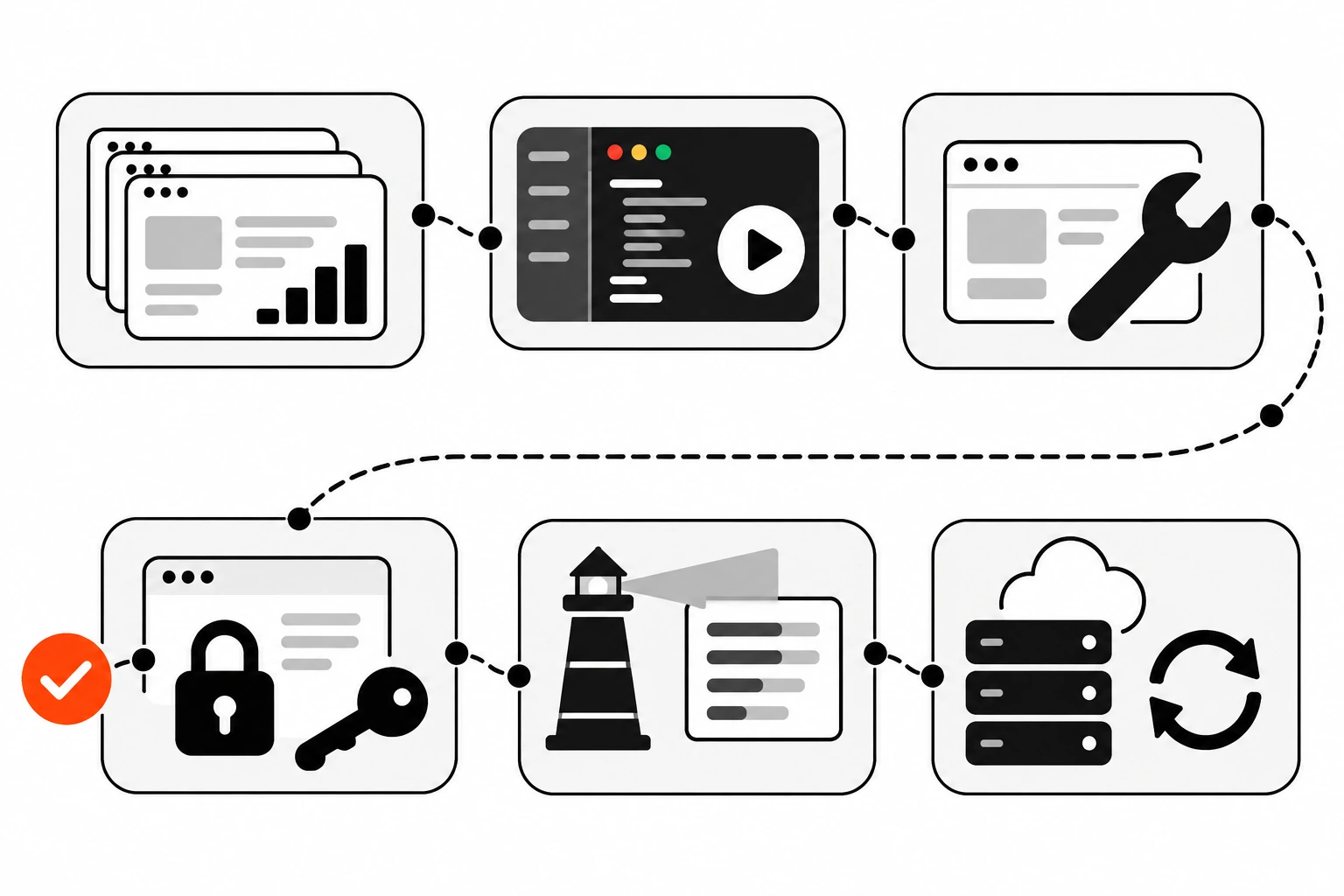
DevTools only tells you about your own browser session. For real visitors, the notRestoredReasons property on the navigation timing entry reports why a page missed bfcache on a history navigation. The MDN page for notRestoredReasons still marks it as experimental, so check support before relying on it.
const [nav] = performance.getEntriesByType("navigation");

if (nav && nav.notRestoredReasons) {
  // e.g. { reasons: [{ reason: "unload-listener" }], children: [], ... }
  sendToAnalytics({
    type: "bfcache-miss",
    reasons: nav.notRestoredReasons.reasons.map((r) => r.reason),
  });
}
It returns null when the navigation wasn’t a history navigation and undefined when the browser doesn’t support it, so the check above covers both.
How does bfcache affect analytics and Core Web Vitals?
Many analytics setups don’t count bfcache restores as pageviews, so turning bfcache on can make pageviews look lower even though visitors are getting faster pages. Fix it by sending a pageview in pageshow when persisted is true. For Core Web Vitals, the web-vitals JavaScript library already handles bfcache restores.
This catches teams off guard after a cleanup. The site gets faster, then someone notices the pageview chart dipped and assumes something broke. The visits didn’t disappear. They just stopped triggering a fresh page load.
window.addEventListener("pageshow", (event) => {
  if (event.persisted) {
    gtag("event", "page_view");
  }
});
Performance dashboards can shift too. Restores replace what would have been some of your fastest repeat loads, so your load-time distribution can look slower even though users are better off. Web.dev suggests tagging page load metrics with their navigation type (navigate, reload, back_forward or prerender) so you compare like with like.
If you already prerender likely next pages with the Speculation Rules API, bfcache is the other half of the picture. Speculation rules make forward navigations instant. bfcache does the same for going back.
Does bfcache work with single-page apps and iframes?
bfcache only applies to full, browser-managed navigations, so it doesn’t help with route changes inside a single-page app. It does help when someone leaves your SPA and comes back, because the whole app can be restored instead of booting from scratch. Iframes aren’t cached separately, but they’re restored with their parent page.
For SPAs, that means the work is the same as for any site: no unload listeners, no no-store on the HTML shell, and clean connection handling. Your router’s own back button behavior is a separate topic.
Iframes have one catch. An embedded iframe that uses a blocking API can disqualify the whole page. Web.dev points to the sandbox attribute and the Permissions Policy on the main frame as ways to limit that. If you embed third-party widgets, include them in your DevTools test.
What mistakes stop bfcache from working?
The common ones are keeping old unload handlers around, sending no-store on every page, letting third-party scripts add listeners unchecked, and forgetting to refresh data after a restore. Each one either blocks bfcache or makes a restored page show the wrong thing.
A few more that come up a lot in audits:
- Attaching
beforeunloadon page load “just in case” instead of only when a form is dirty - Assuming the DevTools result while logged out matches what signed-in users get
- Opening windows with
window.open()and keeping a reference whenpostMessageor a plain link would do - Treating a drop in pageviews after a bfcache fix as lost traffic
- Forcing
location.reload()on every restore, which throws the speed gain away
Is it worth optimizing for bfcache?
Yes. It’s one of the few performance wins where the fix is often removing code. Replace unload with pagehide, keep no-store for pages that need it, refresh live data on pageshow, and run the DevTools test on your most-visited pages. A short checklist gives visitors instant back navigation for free.
If you only do one thing after reading this, open your busiest listing page, run the Back-forward Cache test, and read the reason it gives you. It’s usually a single line. On WordPress sites, it’s often a plugin or tracking script rather than the theme, so test with the same plugins your live site runs. For the server side of that story, my notes on WordPress performance and TTFB pair well with this.