Mock Service Worker (MSW): API Mocking for Tests and Local Development
The test suite was green. The checkout was broken.
This story is a composite of a few client codebases I have inherited, because the pattern shows up again and again. A React app had dozens of component tests, and every one of them mocked fetch directly with something like vi.fn().mockResolvedValue(...). The mocks returned exactly the objects the components wanted. Then the backend team changed an error response from { error: "..." } to { message: "..." }, the app started showing “undefined” in a red banner, and not a single test noticed. The mocks were describing what the frontend hoped the API would do, not what the API actually did.
The opposite failure happened in another project. Someone swapped fetch for a small HTTP client wrapper. The app worked perfectly, but a big chunk of the test suite failed, because those tests were all mocking a function that was no longer called. Nobody had changed any behavior. The tests were tied to how the code made requests, not to what the user saw.
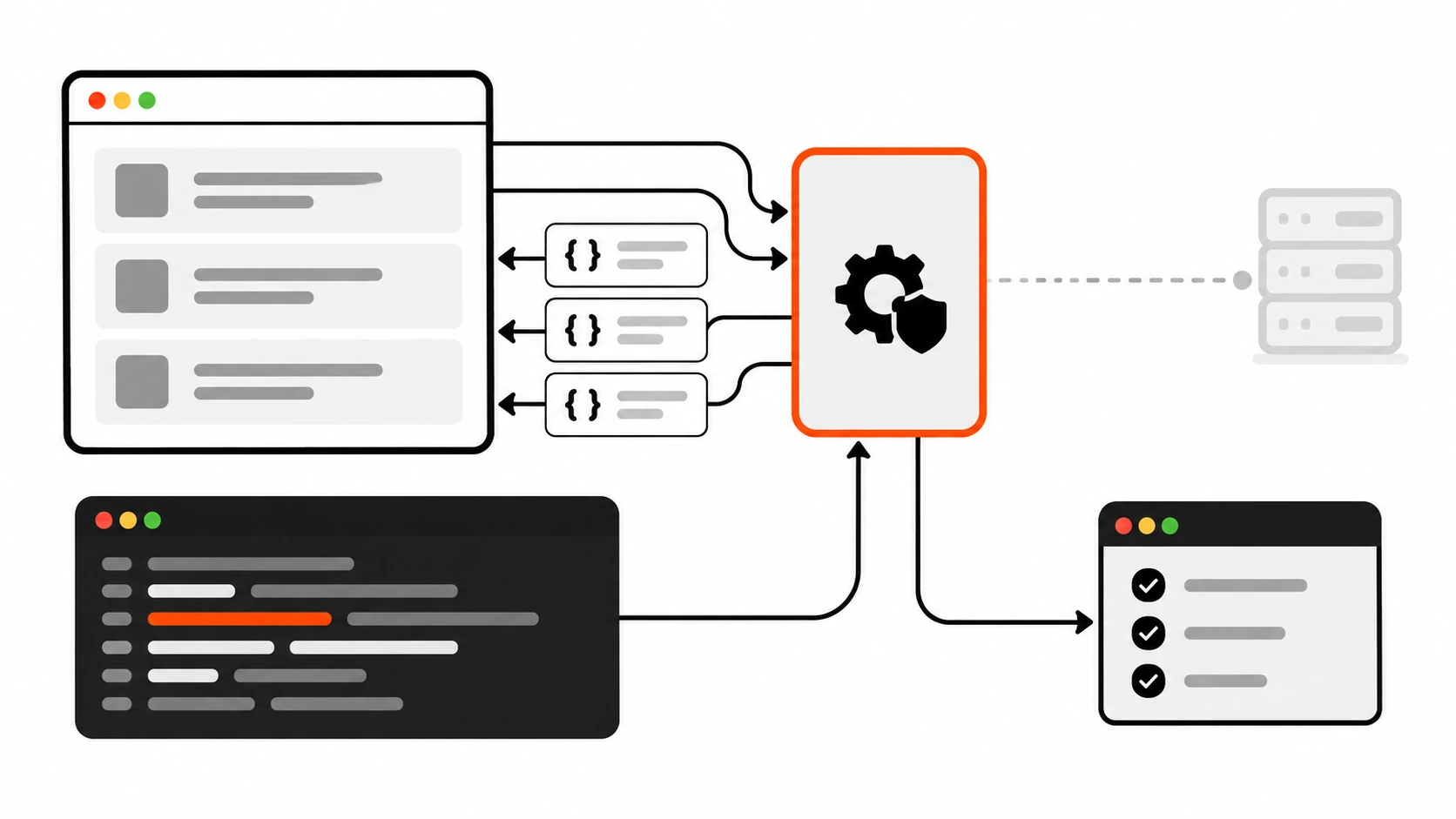
Both problems have the same root cause: mocking at the wrong level. These days I mock at the network level with Mock Service Worker, usually just called MSW. My components and data functions run their real request code, and MSW answers those requests the way the real API would. When I refactor the request layer, the tests do not care. When the API contract changes, I update one handler and the tests tell me exactly which screens break.
This guide is the setup I use on client projects: what MSW actually intercepts, the five files you need with Vitest, how to write handlers that behave like a real API, how to test the loading, empty, error and offline states, the mistakes I keep finding in code reviews, and how to reuse the same mocks in the browser for local development. The examples use MSW 3, which is the current major version, and I point out the differences if you are still on MSW 2.
What Mock Service Worker actually does
Most mocking tools work at the module level. You tell the test runner to replace fetch, axios, or your own api.js module with a fake. That works, but your fake now has to know the exact function names, argument shapes and return values your code uses.
MSW works one level lower. You describe the network: “a GET request to this URL returns this JSON”, “a POST to this URL with an empty body returns a 422”. Your code makes real requests with whatever client it likes, and MSW intercepts them before they reach a real server.
How it intercepts depends on where your code runs:
- In the browser, MSW registers a real Service Worker. The worker sees outgoing requests at the network level and asks your handlers how to respond. That is where the name comes from.
- In Node.js, there is no Service Worker, so
setupServerfrommsw/nodehooks into Node’s request-issuing modules instead, including the globalfetch. When you callserver.close(), the native modules are restored.
The important part is that both environments use the same request handlers. You write handlers.js once, then feed it to Vitest in Node and to the browser during development.
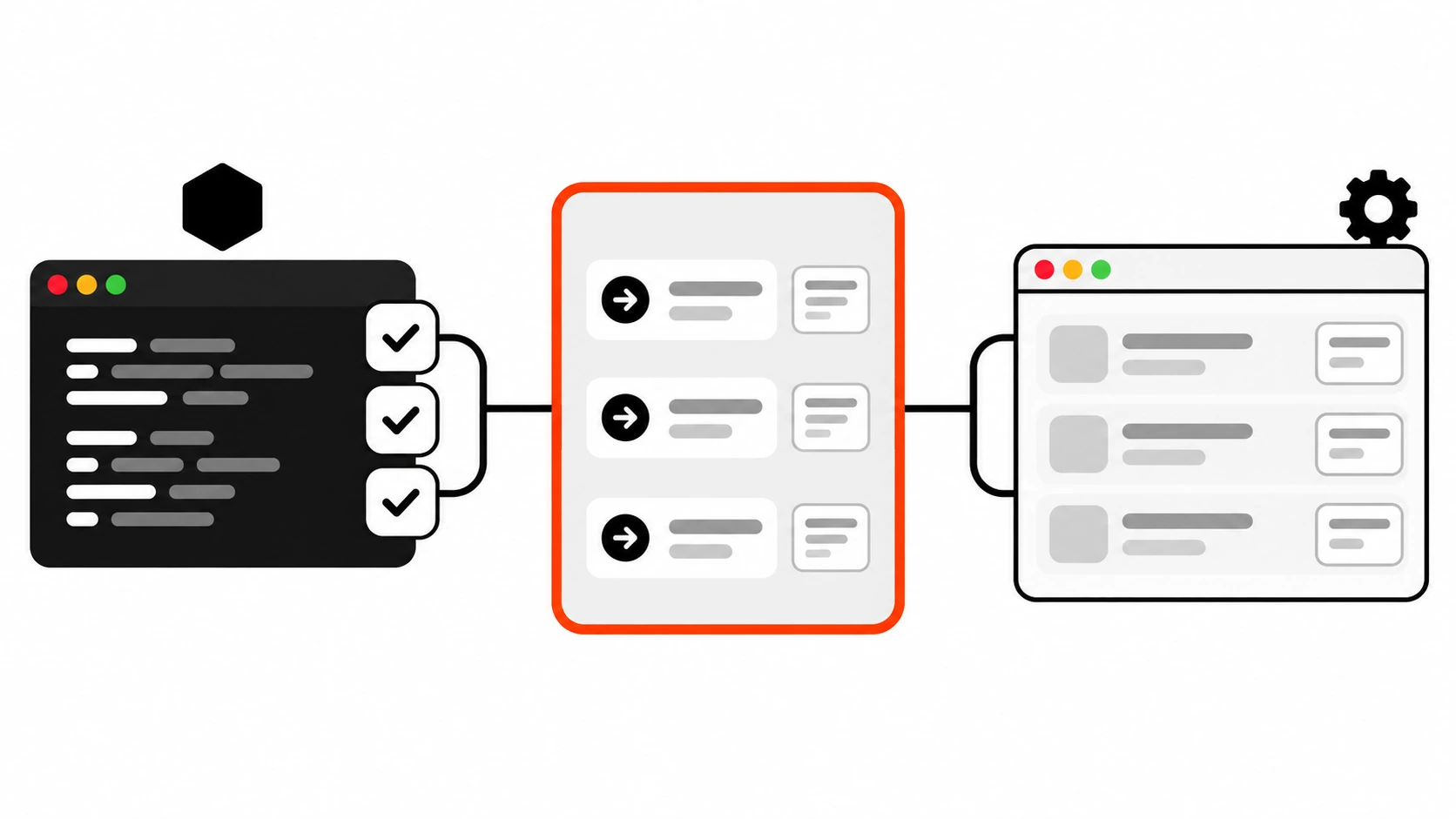
Because MSW sits at the network level, it does not care whether you use fetch, axios, TanStack Query, SWR, or a generated SDK. If it makes an HTTP request, MSW can answer it.
Why I stopped mocking fetch directly
I still use plain function mocks for some things, like a callback prop or a date helper. But for anything that touches the network, mocking fetch directly has three problems that MSW avoids:
- It skips the code that breaks most often. URL building, query strings, headers, JSON parsing, checking
res.ok, and turning a 422 into a friendly message all live in your request code. Afetchmock replaces that whole path, so bugs in it never show up. - It ties tests to implementation details. If a test asserts that
fetchwas called with a specific URL and options object, it breaks when you refactor, even when the behavior is identical. - It drifts from the real API. Every test invents its own response shape. With MSW, the shape lives in one handler that mirrors the API contract, so there is one place to update when the contract changes.
The MSW docs put it well: test how your application reacts to a request, not whether a particular request was made. That one rule changed how I write frontend tests.
Setting up MSW with Vitest in five files
Here is the minimal Mock Service Worker setup for Node-based tests. One note before we start: MSW 3 requires Node.js 22 or newer (the package currently lists 22.12 as its minimum). If your CI still runs Node 20, either upgrade or stay on MSW 2 for now (I cover the import differences below).
Install it as a dev dependency:
npm install msw --save-devFile 1: the API module. I always keep the base URL in one constant. That matters more than it looks, and we will come back to it in the mistakes section.
// src/api.js
export const API = 'https://api.example.com'

export async function getOrders() {
  const res = await fetch(`${API}/orders`)
  if (!res.ok) throw new Error(`Orders failed: ${res.status}`)
  return res.json()
}

export async function createOrder(input) {
  const res = await fetch(`${API}/orders`, {
    method: 'POST',
    headers: { 'Content-Type': 'application/json' },
    body: JSON.stringify(input),
  })
  const data = await res.json()
  if (!res.ok) throw new Error(data.message)
  return data
}
File 2: the handlers. This is the heart of MSW. Each handler matches a method and a URL, and returns a response.
// src/mocks/handlers.js
import { http, HttpResponse } from 'msw/http'
import { API } from '../api.js'

export const handlers = [
  http.get(`${API}/orders`, () => {
    return HttpResponse.json([
      { id: 'ord_1', total: 1499, status: 'paid' },
      { id: 'ord_2', total: 899, status: 'pending' },
    ])
  }),

  http.post(`${API}/orders`, async ({ request }) => {
    const body = await request.json()
    if (!body.items || body.items.length === 0) {
      return HttpResponse.json(
        { message: 'Add at least one item' },
        { status: 422 }
      )
    }
    return HttpResponse.json({ id: 'ord_3', status: 'pending' }, { status: 201 })
  }),
]
File 3: the Node integration point. It has nothing to do with Vitest specifically, so you can reuse it in any Node process.
// src/mocks/node.js
import { setupServer } from 'msw/node'
import { handlers } from './handlers.js'

export const server = setupServer(...handlers)
File 4: the test setup file. Three lifecycle steps: start intercepting before all tests, reset per-test overrides after each test, and restore everything at the end.
// vitest.setup.js
import { beforeAll, afterEach, afterAll } from 'vitest'
import { cleanup } from '@testing-library/react'
import { server } from './src/mocks/node.js'

beforeAll(() => server.listen({ onUnhandledFrame: 'error' }))
afterEach(() => {
  cleanup()
  server.resetHandlers()
})
afterAll(() => server.close())
File 5: the Vitest config. Point test.setupFiles at the setup file. I use jsdom because these tests render React components.
// vitest.config.js
import { defineConfig } from 'vitest/config'
import react from '@vitejs/plugin-react'

export default defineConfig({
  plugins: [react()],
  test: {
    environment: 'jsdom',
    setupFiles: ['./vitest.setup.js'],
  },
})
That is the whole setup. I ran exactly these files with MSW 3, Vitest 4 and React 19 while writing this article, and the test suite below passes.
If you are on MSW 2
MSW 3 moved the exports to dedicated entry points and renamed one option. On MSW 2 the same code looks like this:
import { http, HttpResponse, delay } from 'msw'instead ofmsw/httpandmsw/utils/delay.server.listen({ onUnhandledRequest: 'error' })instead ofonUnhandledFrame. The new name exists because the option now covers WebSocket connections as well as HTTP requests.setupServerstill comes frommsw/nodeandsetupWorkerfrommsw/browserin both versions.
Writing handlers that behave like the real API
The quality of an MSW setup is mostly the quality of its handlers. A handler that always returns 200 with perfect data is only slightly better than a fetch mock. A handler that behaves like the real server is a small, honest contract test.
A few habits I follow:
Validate the request inside the handler. Instead of asserting in the test that the request body contained items, the handler returns a 422 when items is missing, exactly like the backend. If the frontend ever stops sending items, the UI shows an error and the test fails on what the user would see.
Use path params and query strings the way the server does. MSW matches path params like :id and gives them to you in params. Query strings are not part of the match. Read them from the request URL instead:
http.get(`${API}/orders/:id`, ({ params }) => {
  if (params.id === 'missing') {
    return HttpResponse.json({ message: 'Order not found' }, { status: 404 })
  }
  return HttpResponse.json({ id: params.id, total: 1499, status: 'paid' })
}),

http.get(`${API}/products`, ({ request }) => {
  const url = new URL(request.url)
  const category = url.searchParams.get('category')
  return HttpResponse.json(category === 'shoes' ? shoes : allProducts)
}),
Do not put ?category=shoes in the handler URL. MSW ignores query parameters when it matches requests, so that handler would match every request to /products and quietly mislead you.
Keep happy paths in handlers.js, put edge cases in the tests. The shared handlers describe the network when everything works. Error states, empty lists and slow responses are added per test with server.use(), which I cover next. This keeps the base file readable and makes each test say clearly which situation it is testing.
Type the handlers if you use TypeScript. The http methods take generics for path params, request body and response body, in that order. That way a typo in a mocked response is a compile error instead of a confusing test failure.
import { http, HttpResponse } from 'msw/http'

type Order = { id: string; total: number; status: 'paid' | 'pending' | 'refunded' }
type OrderParams = { id: string }

export const orderHandler = http.get<OrderParams, never, Order>(
  'https://api.example.com/orders/:id',
  ({ params }) => {
    return HttpResponse.json({ id: params.id, total: 1499, status: 'paid' })
  }
)
When I tried returning total: '1499' or status: 'shipped' here, TypeScript rejected both. If you model your UI state as a union of loading, error and success, as I described in my guide to TypeScript discriminated unions, typed handlers and typed state together catch a surprising number of bugs before a test even runs.
Testing the states users actually see
This is where Mock Service Worker pays for itself. Every screen that loads data has at least five states, and most test suites only cover the first one:
- Success with data
- Success but empty
- Server error, like a 500
- Network failure, like being offline or a DNS error
- Slow response, where the user stares at a spinner
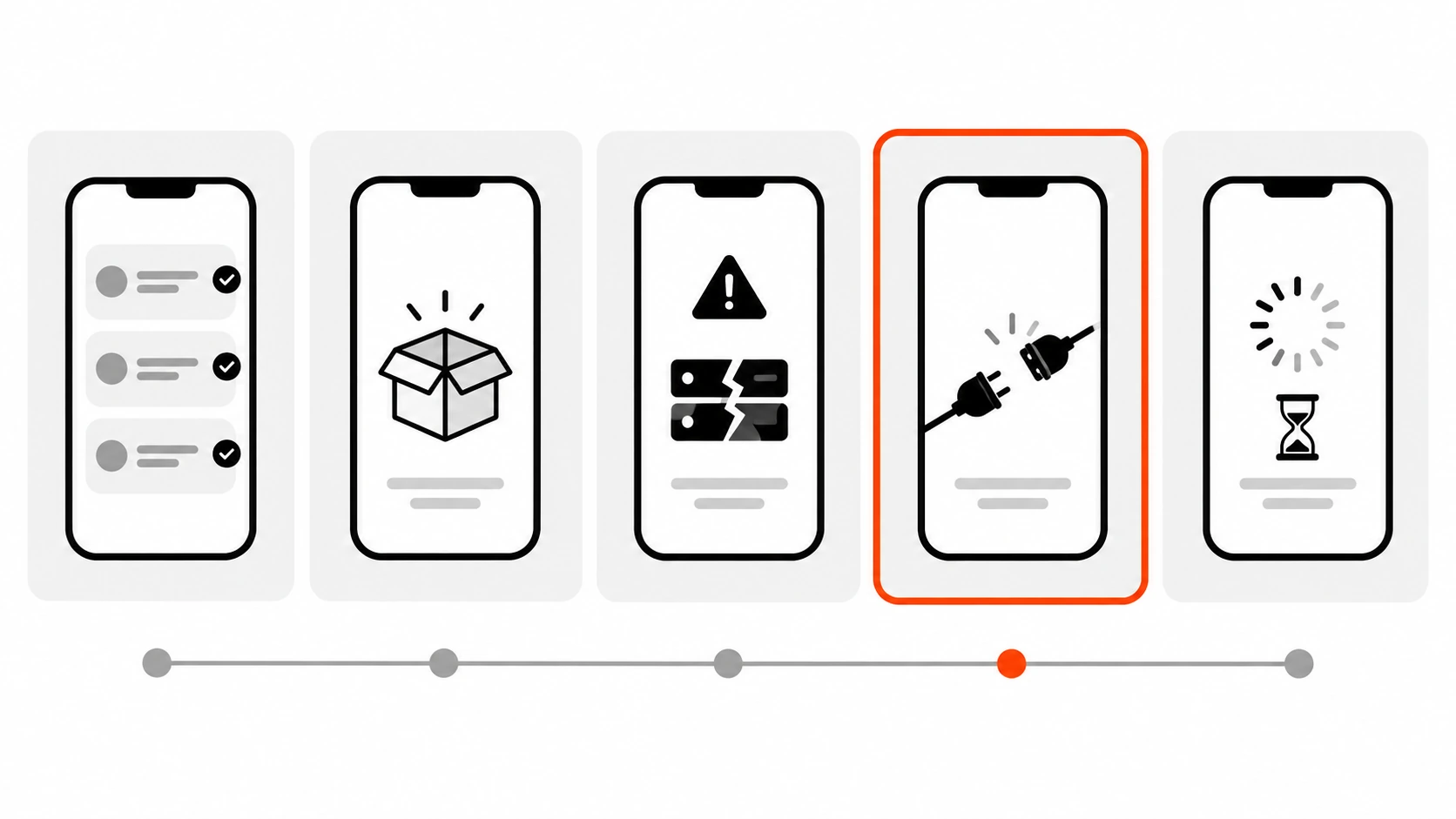
Here is a simple order list component to test. It is deliberately plain: one status field, a retry button on errors, and an empty state.
// src/OrderList.jsx
import { useEffect, useState } from 'react'
import { getOrders } from './api.js'

export function OrderList() {
  const [state, setState] = useState({ status: 'loading' })

  function load() {
    setState({ status: 'loading' })
    getOrders()
      .then((orders) => setState({ status: 'success', orders }))
      .catch(() => setState({ status: 'error' }))
  }

  useEffect(load, [])

  if (state.status === 'loading') return <p>Loading orders...</p>
  if (state.status === 'error') {
    return (
      <div role="alert">
        <p>We could not load your orders.</p>
        <button onClick={load}>Try again</button>
      </div>
    )
  }
  if (state.orders.length === 0) return <p>No orders yet.</p>
  return (
    <ul>
      {state.orders.map((o) => (
        <li key={o.id}>{o.id} - {o.status}</li>
      ))}
    </ul>
  )
}
And the tests for all five states:
// test/OrderList.test.jsx
import { test, expect } from 'vitest'
import { render, screen, fireEvent } from '@testing-library/react'
import { http, HttpResponse } from 'msw/http'
import { delay } from 'msw/utils/delay'
import { server } from '../src/mocks/node.js'
import { API } from '../src/api.js'
import { OrderList } from '../src/OrderList.jsx'

test('shows orders from the API', async () => {
  render(<OrderList />)
  expect(await screen.findByText('ord_1 - paid')).toBeTruthy()
})

test('shows the empty state', async () => {
  server.use(http.get(`${API}/orders`, () => HttpResponse.json([])))
  render(<OrderList />)
  expect(await screen.findByText('No orders yet.')).toBeTruthy()
})

test('shows an error and recovers on retry', async () => {
  server.use(
    http.get(`${API}/orders`, () => new HttpResponse(null, { status: 500 }), { once: true })
  )
  render(<OrderList />)
  expect(await screen.findByRole('alert')).toBeTruthy()
  fireEvent.click(screen.getByRole('button', { name: 'Try again' }))
  expect(await screen.findByText('ord_1 - paid')).toBeTruthy()
})

test('handles a network failure', async () => {
  server.use(http.get(`${API}/orders`, () => HttpResponse.error()))
  render(<OrderList />)
  expect(await screen.findByRole('alert')).toBeTruthy()
})

test('shows the loading state while the API is slow', async () => {
  server.use(
    http.get(`${API}/orders`, async () => {
      await delay('infinite')
    })
  )
  render(<OrderList />)
  expect(screen.getByText('Loading orders...')).toBeTruthy()
})
A few things are worth pointing out here.
server.use() prepends a runtime handler. It takes priority over the initial handlers from setupServer(). Because the setup file calls server.resetHandlers() after each test, an override in one test never leaks into the next.
{ once: true } is perfect for retry flows. The first request gets the 500. After that, the one-time handler is used up and MSW falls back to the happy-path handler, so clicking “Try again” loads the orders. That one option replaced a lot of hand-written counters in my older tests.
HttpResponse.error() is not the same as a 500. A 500 is a real response from a working server. HttpResponse.error() creates a network error, the same kind of failure you get when the user is offline. fetch rejects instead of resolving, which goes through a different branch of your code. Test both.
delay('infinite') freezes a request. It is the easiest way to assert on a loading state without racing a real timer. You can also pass a number of milliseconds. Note that calling delay() with no arguments adds a realistic random delay in the browser, but MSW skips that implicit delay in Node so it does not slow down your test suite.
Await what the user sees, never a timer. I use findByText and findByRole, which retry until the element appears (Testing Library’s default timeout is one second). Never add setTimeout or a sleep to “give the request time”. It only makes tests slower and flakier.
If your component also cancels requests when the user navigates away or types a new search term, a frozen request is also the easiest way to test that. I covered the cancel side in my AbortController guide.
Make unhandled requests fail loudly
By default, MSW prints a warning when a request has no matching handler, and then lets the request go out as-is. In a test suite, I want the opposite. That is why the setup file passes onUnhandledFrame: 'error' (or onUnhandledRequest: 'error' on MSW 2).
With that option, a request without a handler fails, and the test fails with it. That catches three common problems early:
- A component started calling a new endpoint and nobody added a handler.
- A typo or a wrong base URL means the request never matches the handler you thought it would.
- A test was quietly hitting a real staging API, which is slow, flaky, and sometimes creates real data.
In the browser during development, I usually go the other way and use 'bypass', so requests I have not mocked yet still reach the real API.
Assert on the screen, not on the request
It is tempting to write a test that checks “the POST request had the right body”. The MSW docs actively discourage this, and I agree. If the request is wrong, the handler should respond the way the real server would, with a 400 or a 422, and your test should check that the UI shows the right message.
There is one honest exception: one-way requests that leave no trace in the UI, like analytics events or error reporting. For those, MSW has life-cycle events. They are read-only, so they observe traffic without changing it:
const seen = []
server.events.on('request:start', ({ request }) => {
  seen.push(`${request.method} ${new URL(request.url).pathname}`)
})
If you need to read a request body in a listener, clone the request first, because a body can only be read once. The same request:start listener is also my first debugging step when a handler does not seem to match: if the request is not printed, MSW is not set up correctly; if it is printed with a relative or unexpected URL, the URL is the problem.
The MSW mistakes I keep finding in code reviews
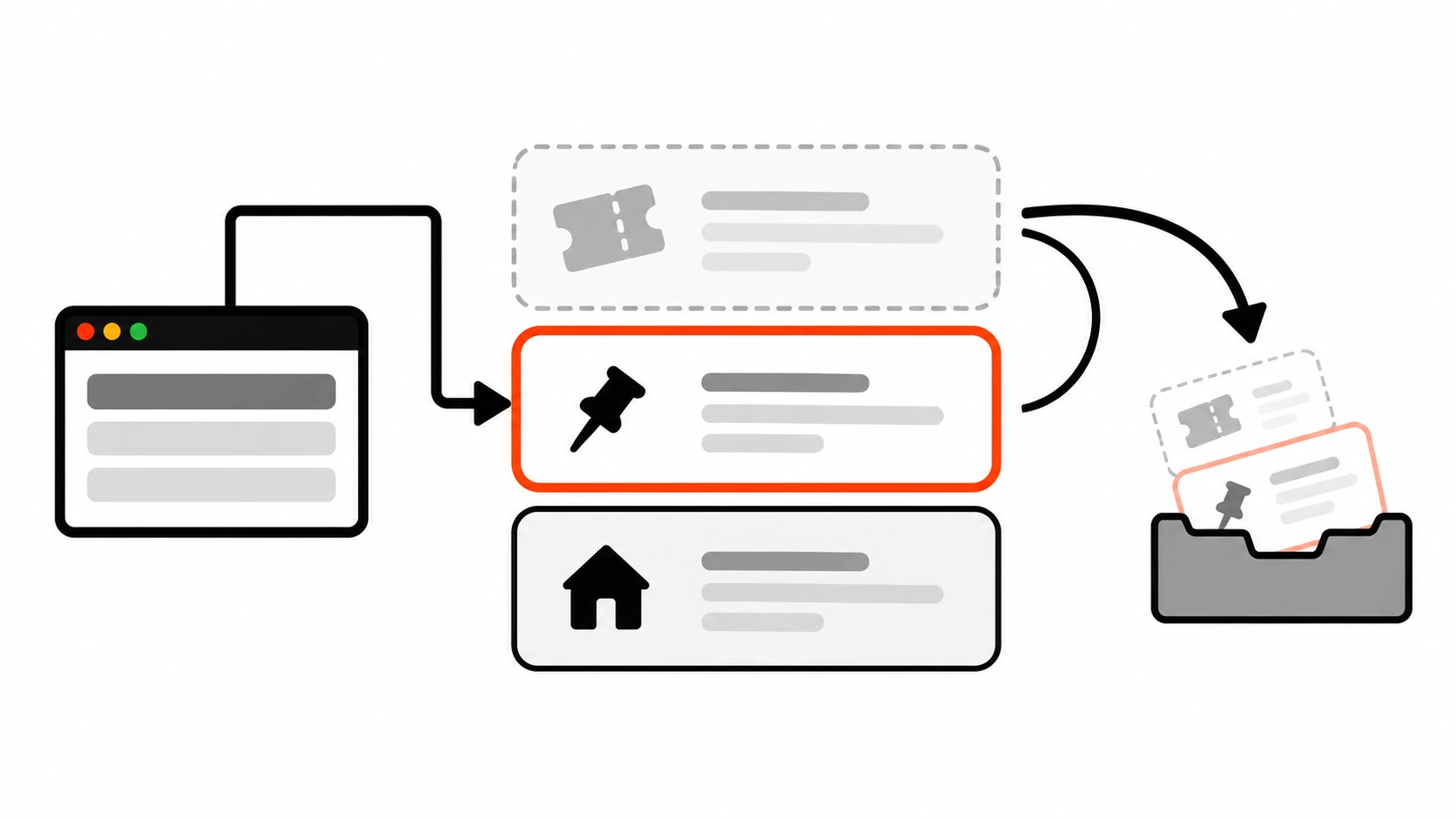
These are the issues I see most often when I join a project that already uses MSW. None of them are exotic.
1. Relative URLs in Node. In the browser, fetch('/api/orders') resolves against the page URL. In Node, there is no page, so relative URLs depend entirely on how your test environment is configured. The fix I use everywhere is a single base URL constant (like API above) shared by the app and the handlers. The same goes for libraries with a base URL option: RTK Query, for example, needs baseUrl set in fetchBaseQuery, or the requests are relative and MSW cannot match them in Node.
2. A base URL from an environment variable that is not set in CI. A handler like http.get(process.env.API_URL + '/orders', ...) turns into undefined/orders when the variable is missing. Default it, or set it in the Vitest config.
3. Forgetting server.resetHandlers(). Without it, a server.use() override from one test stays active for every test after it. The suite passes when you run it in one order and fails in another.
4. Cached responses from data libraries. TanStack Query, SWR and Apollo cache responses, and that cache is not cleared between tests automatically. For TanStack Query, I create a fresh QueryClient per test and set defaultOptions.queries.retry to false. The library retries failed queries three times by default with a backoff, which makes error-state tests time out.
5. Fake timers that freeze fetch. With Jest’s default jest.useFakeTimers(), queueMicrotask is faked too, and Node’s fetch uses it to read bodies. The MSW docs recommend jest.useFakeTimers({ doNotFake: ['queueMicrotask'] }).
6. Jest with jsdom and missing globals. jest-environment-jsdom replaces some Node globals, which leads to errors like “Response is not defined” or “TextEncoder is not defined”. The MSW team suggests the jest-fixed-jsdom environment as a workaround, or moving to Vitest, which does not have this problem.
7. Concurrent tests sharing one server. If tests run concurrently and call server.use(), their overrides collide. server.boundary() scopes the network to a single test. It only exists on setupServer, because browser tests get that isolation for free.
8. Matching on query strings. As mentioned above, ?page=2 in a handler URL does nothing useful. Read searchParams inside the resolver.
9. Mocks drifting from the real API. MSW does not magically keep handlers in sync with your backend. When the API changes, the handlers need to change too. I treat handlers.js like any other contract file: it gets updated in the same pull request as the API change, and on bigger projects I group handlers by domain, like mocks/handlers/orders.js and mocks/handlers/user.js.
Reusing the same handlers in the browser
The part of Mock Service Worker that surprised me most was not testing at all. It was local development. When the backend for a feature does not exist yet, or a client’s staging API is down for the afternoon, I can run the real frontend against the same handlers my tests use.
First, copy the worker script into your public folder. The CLI can save that folder in package.json so the script stays up to date when you upgrade MSW:
npx msw init ./public --saveThen create the browser integration point:
// src/mocks/browser.js
import { setupWorker } from 'msw/browser'
import { handlers } from './handlers.js'

export const worker = setupWorker(...handlers)
And enable it only in development, before the app renders:
// src/main.jsx
import { createRoot } from 'react-dom/client'
import { App } from './App.jsx'

async function enableMocking() {
  if (!import.meta.env.DEV) return
  const { worker } = await import('./mocks/browser.js')
  return worker.start({ onUnhandledFrame: 'bypass' })
}

enableMocking().then(() => {
  createRoot(document.getElementById('root')).render(<App />)
})
Two details matter here. The dynamic import() keeps MSW out of the production bundle. And you must wait for worker.start(), because registering a Service Worker is asynchronous; if the app renders first, its first requests can slip past the worker. When it works, the browser console prints “[MSW] Mocking enabled.”
If you use Vite, MSW 3 also ships a Vite plugin under msw/vite, which serves the worker script for you so you do not have to copy it into public. I still use the msw init approach on most client projects because it works the same way with every bundler, but the plugin is worth a look on new Vite apps.
Service Workers normally need HTTPS, but browsers allow them on http://localhost, so local development works without extra setup.
Where MSW fits next to Playwright
I get asked whether MSW replaces end-to-end tests. It does not. My split looks like this:
- Vitest plus MSW for components, hooks and data functions. Fast, isolated, and great for edge cases like empty lists, 422 validation errors and offline states.
- Playwright for real user flows in a real browser. Most of those run against a real backend or a seeded test environment, as I described in my Playwright testing guide.
Playwright also has its own network mocking with page.route() and route.fulfill(), which is handy for forcing a single error state in an end-to-end test. If you already have a full MSW handler set, you can also run your dev server with the browser worker enabled and point Playwright at it. Pick one approach per suite so people know where the mocks live.
My checklist before I trust a mocked test suite
When I set up Mock Service Worker on a project, or review an existing setup, I go through this list:
- One
handlers.js(or a folder grouped by domain) with happy paths only. - A shared base URL constant used by both the app and the handlers.
server.listen({ onUnhandledFrame: 'error' })in the test setup file, plusresetHandlers()after each test andclose()at the end.- Handlers that validate requests and return realistic error responses, not just 200.
- Every data-loading screen has tests for success, empty, server error, network error and loading.
- Tests wait with
findBy*orwaitFor, never with a sleep. - Data library caches are reset per test, and retries are off in tests.
- The browser worker is enabled only in development, loaded with a dynamic import, and awaited before render.
- Handlers are updated in the same pull request as any API contract change.
It takes about an hour to set this up on a typical React project, and in my experience it is one of the cheapest ways to make a frontend test suite trustworthy. The tests stop breaking when you refactor, and they start breaking when the user would actually notice something.
If you want a second pair of eyes on a test setup that is green but still lets bugs through, that is exactly the kind of audit I do for clients. Start by writing the five-state test for your busiest screen. It usually finds something.