Why New Meta Ads Don’t Get Spend (And the Separate Ad Set Fix)
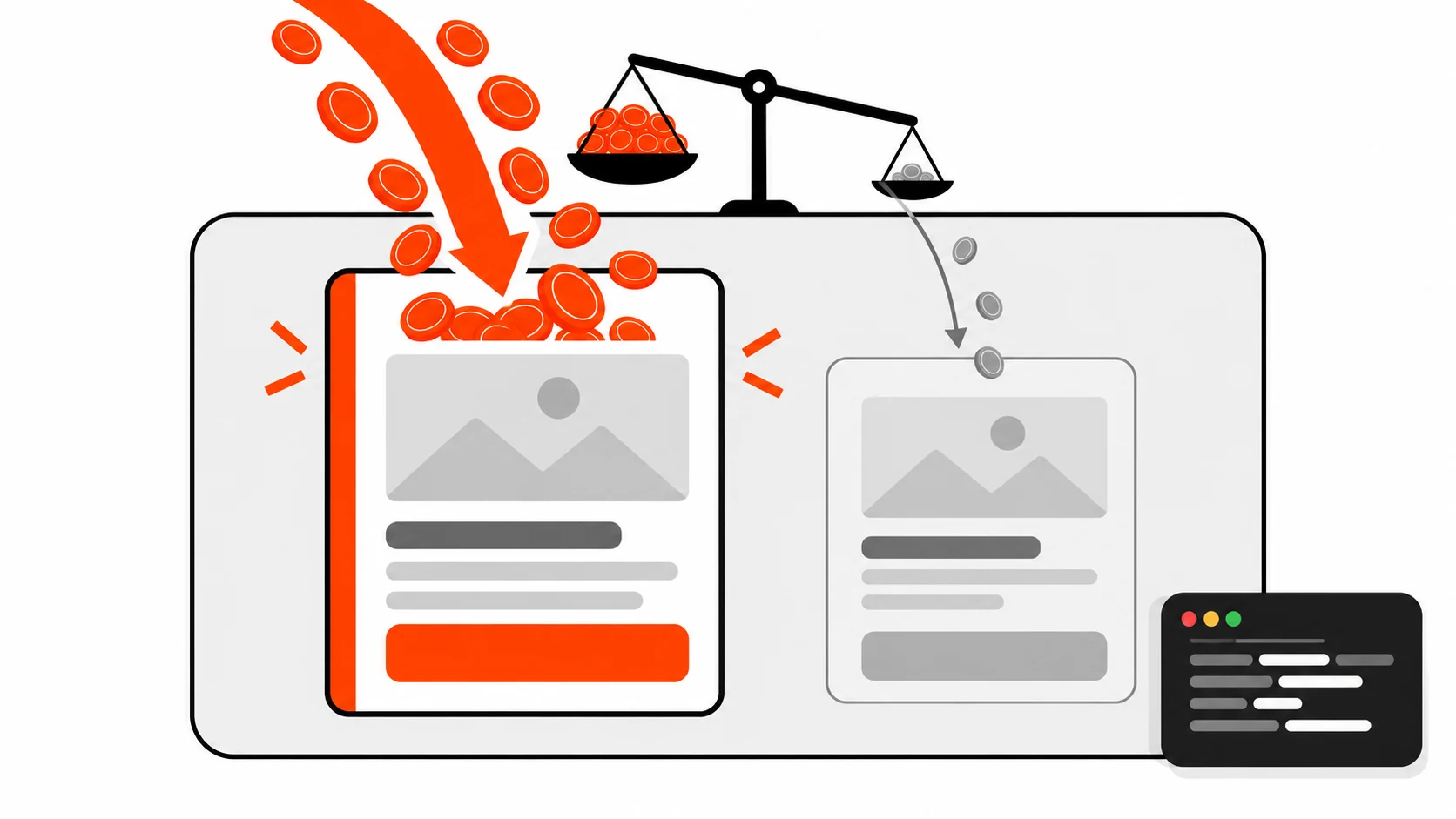
You made a new ad. It looks better than the old one. You dropped it into the ad set that’s already working, waited a week, and it got almost nothing. A handful of impressions. No real data.
So was the ad bad? Probably not. Most of the time, it never got a fair shot.
Key takeaways
- New Meta ads added next to a proven winner usually get very little spend, because delivery favors the ad with the strongest results history.
- Low spend means low data, and without data the new ad can’t prove it’s any good.
- The fix is a separate testing ad set, built only for new creatives, with its own budget.
- Move winners from the testing ad set into your main campaign.
- It costs something: your budget gets split and each new ad set has to go through the learning phase.
Short answer: New Meta ads don’t get spend when they sit in the same ad set as a winning ad because Meta’s delivery system puts budget where it expects the best result. The old ad has conversion history and the new one doesn’t. Give new creatives their own testing ad set and budget so they get enough impressions to be judged fairly.
What does “ad spend starvation” mean in Meta ads?
Ad spend starvation is when one ad in an ad set takes nearly all the budget and the other ads get too few impressions to produce useful results. It’s not a setting or an error. It’s just what happens when the system has a clear favorite.
You’ll see it in Ads Manager. One ad has most of the spend. The others show tiny numbers and you can’t tell if they’re good or bad.
Here’s the thing people miss. A starved ad hasn’t failed. It hasn’t been tested at all.
Why does Meta keep spending on the old winning ad?
Meta’s delivery system tries to get you the most results for your budget, so it leans on ads it can predict well. A winning ad has a track record of clicks and conversions. A new ad has none, so it looks like a risk and gets shown less, which means it never builds the history it needs.
Think of it like hiring. You’ve got a person who’s done great work for months. A new applicant shows up with no references. Who gets the big project? Yeah.
That’s not Meta being unfair. It’s doing what it was built to do: protect your results today. The problem is that “today” isn’t the only thing you care about.
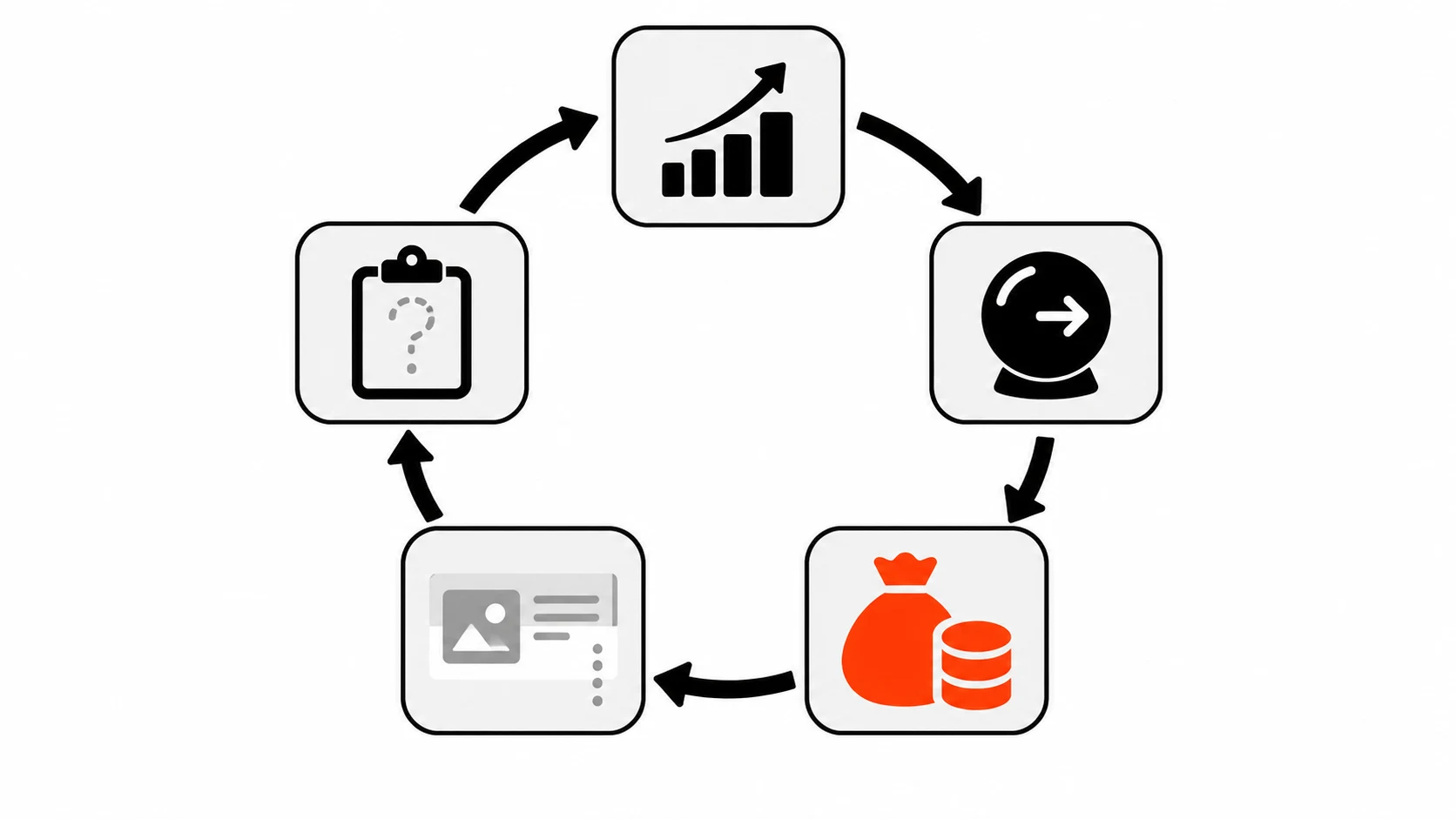
The loop that keeps new ads stuck
- The winning ad has strong past results.
- Delivery predicts it’ll keep winning and gives it most of the budget.
- The new ad gets a few impressions.
- A few impressions produce almost no conversions.
- With no conversions, the new ad still looks unproven, so it stays starved.
It’s a closed circle. Nothing inside the ad set breaks it.
Isn’t the old ad winning because it’s just better?
Sometimes, yes. But you can’t know that from a starved test. If the new ad only got a sliver of impressions, its numbers are noise. The old ad isn’t proven better. It’s proven familiar to the system.
This matters more than it sounds. Every ad wears out eventually. People see it too many times, they scroll past, and performance slides. If every new ad you make gets buried, you’ll have nothing ready when the old one fades.
And then you’re stuck making ads in a panic. Not fun.
What is the learning phase, and how does it fit in?
The learning phase is the period after an ad set launches or changes significantly, when Meta’s delivery system is still exploring how to show your ads. Performance is less stable during it. Meta’s own help center explains it in detail in its page about the learning phase.
You can read Meta’s explanation here: About the learning phase (Meta Business Help Center).
Why does this matter for testing? Two reasons.
First, your main ad set has usually already settled down. Throwing new ads into it, or editing it a lot, can push it back into learning. That’s a real cost on your best performer.
Second, a new testing ad set will go through learning too. So expect its early numbers to wobble. Don’t judge a creative on day one.
How do I test new Meta ad creatives the right way?
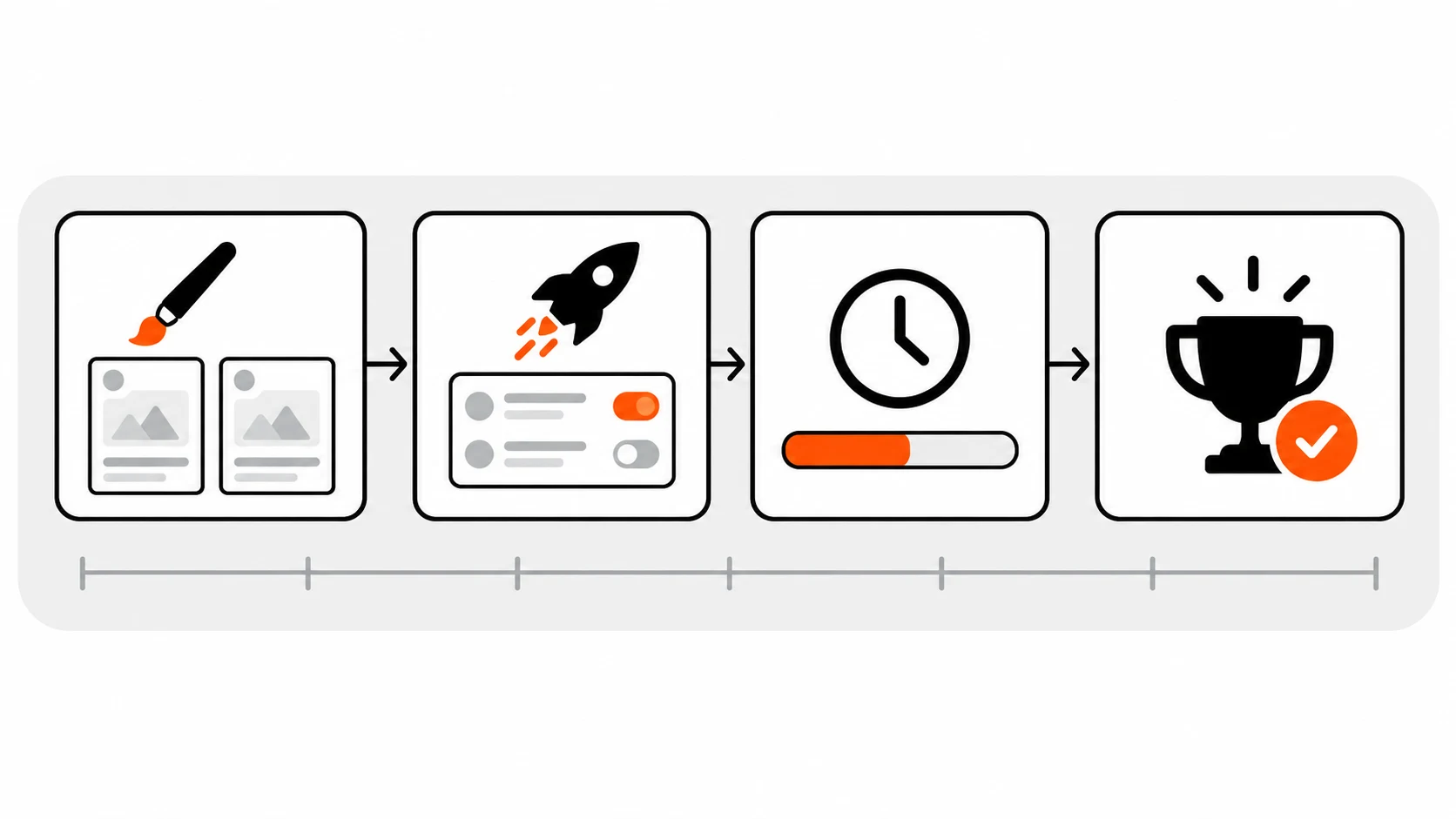
Create a separate ad set per product that holds only new creatives. Give it its own budget so delivery has to spend on those ads. Let them run long enough to gather real results, then move the winners into your main campaign and drop the rest.
That’s the whole idea. Here’s how I’d run it step by step.
A weekly creative testing routine
- Pick one product. Keep tests separate per product so results don’t get mixed up.
- Make a few new creatives. Different hooks, different visuals, different first lines. Not five tiny variations of the same thing.
- Create a new ad set just for them. Same audience approach as your main one, so the comparison is fair.
- Set its own budget. Big enough that each ad can actually get seen. What “enough” means depends on your price and conversion cost, so I’m not going to throw a number at you.
- Leave it alone for a while. Editing constantly can restart learning. Patience is part of the test.
- Read the results. Look at your real goal metric, not just clicks.
- Promote the winner. Add it to your main campaign as a fresh ad.
- Repeat next week. The point is a steady pipeline, not a one-time test.
Should I use campaign budget or ad set budget for testing?
For a creative test, an ad set budget is usually easier to control because you decide exactly how much the testing ad set gets. With a campaign level budget, Meta can shift money between ad sets, and that can send budget straight back to your proven one.
Meta calls campaign level budgeting Advantage campaign budget. It’s useful when you trust the system to spread money. It’s less useful when your whole goal is to force spend onto new, unproven ads. Meta’s developer docs explain how budgets work at both levels: Budgets (Meta for Developers).
Same ad set vs separate testing ad set: which is better?
A separate testing ad set is better for finding new winners because new ads get guaranteed budget and cleaner data. Keeping everything in one ad set is simpler and cheaper to run, but new ads often get starved by the old winner.
| New ads in the same ad set | Separate testing ad set | |
|---|---|---|
| Who gets the budget | Mostly the proven winner | The new creatives, through their own budget |
| Data on new ads | Thin, often too little to judge | Enough to compare fairly, given time |
| Effect on main ad set | Can disturb it and trigger learning again | Main ad set stays untouched |
| Setup work | Low | More ad sets to build and watch |
| Budget | Stays in one place | Split across more ad sets |
| Learning phase | Main ad set may re-enter it | Testing ad set goes through its own |
| Best for | Small accounts that can’t split budget yet | Anyone who needs a steady supply of new ads |
Neither is “wrong.” But if you keep wondering why your new ads never work, the left column is probably your answer.
What are the downsides of a separate testing ad set?
The main downsides are a split budget, more setup and monitoring, and a new learning phase for every testing ad set. You may spend money on ads that lose. That’s the price of finding out which ones win.
I want to be honest here, because this isn’t free.
- Your budget gets thinner. Money in the testing ad set isn’t going to your proven ad. In the short run, overall results can dip.
- Learning phase, again. Each new testing ad set starts fresh. Early numbers will be shaky.
- More to manage. Weekly ad sets per product add up. You need a naming system or you’ll lose track fast.
- Losers cost money. Most tests won’t produce a new champion. That’s normal.
If your daily budget is tiny, splitting it may leave every ad set too small to learn anything. In that case, test less often, or test fewer creatives at once.
What should I check before blaming the ad creative?
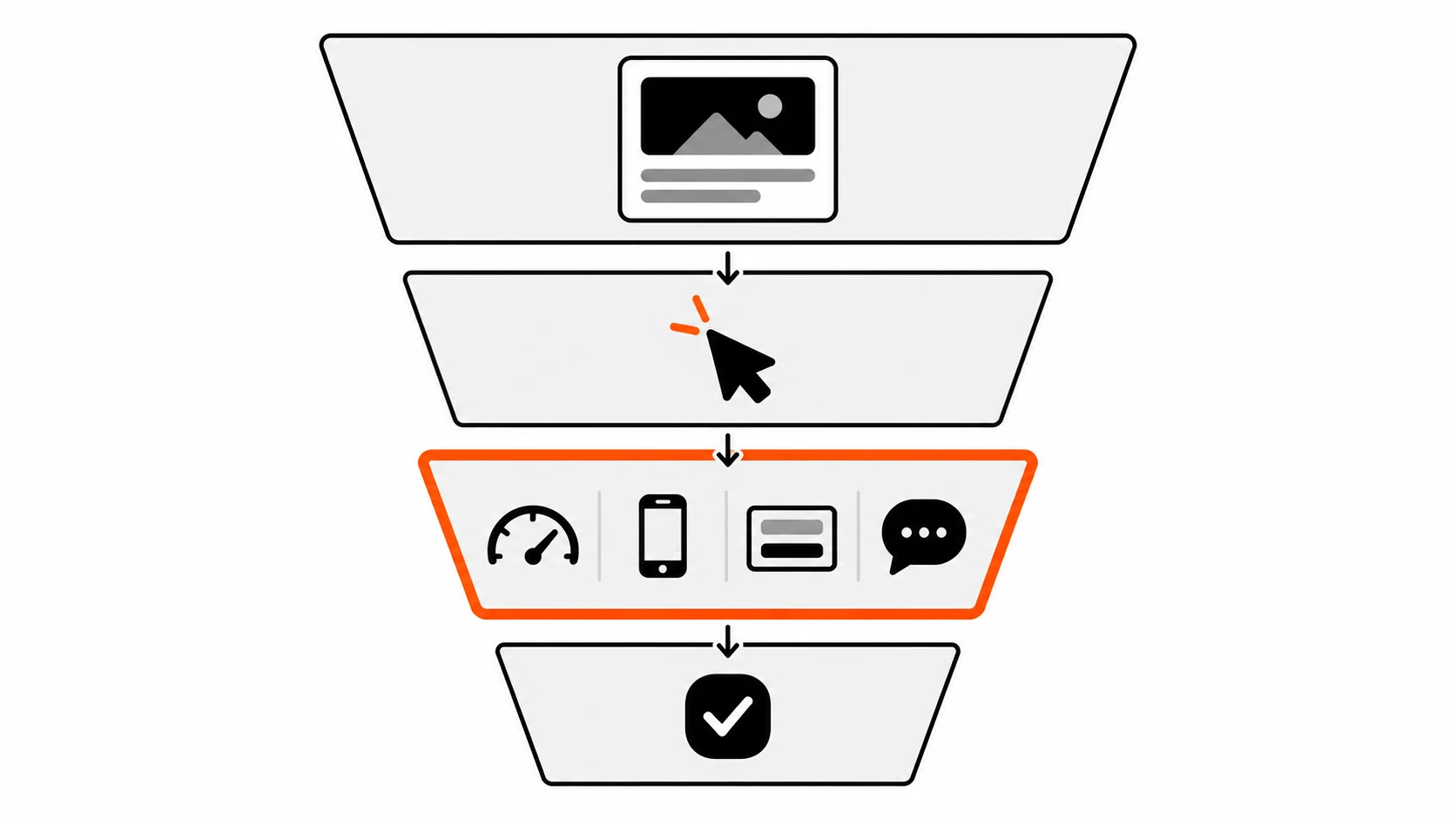
Check the landing page. If the page is slow, broken on mobile or confusing, even a great ad will look like it failed. Ad tests measure the whole path from the ad to the conversion, not just the creative.
This is where my day job comes in. I build and fix websites, and I see this a lot. Someone tests ads, the numbers look bad, and the real issue is the page those ads point to.
A few things worth checking:
- Load speed on a phone. Most ad clicks come from mobile. If the main image takes ages, people bounce before they see anything. Google’s guide to Largest Contentful Paint on web.dev is a good place to start.
- Responsiveness after load. Buttons that lag feel broken. I wrote about this in my post on INP and Core Web Vitals.
- Server response time. If you’re on WordPress, slow TTFB hurts every visit. Here’s my WordPress TTFB guide.
- Forms that actually work. If the form is hard to fill on mobile, you’ll lose leads. See my post on accessible forms.
- Does the page match the ad? If the ad promises one thing and the page talks about another, people leave.
Here’s the uncomfortable bit. If the page is the problem, it hurts every ad equally. Your testing ad set will look bad too. Fix the page first, then test creatives.
How long should I run a creative test?
Run it long enough for each ad to get meaningful results on your real goal, and give the ad set time to get through the learning phase. There’s no single correct number of days. It depends on your budget and how often people convert.
I know that’s not the neat answer you wanted. But anyone who gives you one fixed number without knowing your account is guessing.
A practical rule: don’t kill an ad on day one or two. Early data jumps around. Decide your check-in point before you launch, and stick to it.
How do I move a winning ad into my main campaign?
Add the winning creative as a new ad in your main ad set or campaign. Expect it to need some time to settle there too. Keep the old winner running until the new one shows it can hold up, rather than switching everything off at once.
Some people duplicate the ad, some rebuild it. Either way, don’t make huge changes to your main ad set all at once. Small, planned changes are easier on delivery and easier for you to read.
And keep notes. What was the hook? What was the visual? After a few weeks you’ll start seeing patterns in what works for your audience. That’s honestly the most valuable part.
Quick checklist
- One testing ad set per product, every week
- Only new creatives inside it
- Its own budget, set at the ad set level
- No constant edits while it’s learning
- Landing page checked for speed, mobile and message match
- Winners moved into the main campaign
- Notes kept on every test
If you’ve been burying good ads without knowing it, try one testing ad set next week. Just one. Then see what happens.
What’s the one ad you’re pretty sure never got a fair chance?
Related reading: Speculation Rules API for faster page loads and JSON-LD structured data.