TypeScript Strict Mode: What It Turns On and the Flags It Still Misses

Most TypeScript projects I open have "strict": true at the top of the tsconfig. People see that line and assume the compiler is as careful as it can be. It isn’t. TypeScript strict mode turns on a specific family of checks, and a few of the most useful ones live outside that family entirely.
So this post is about both halves. What strict actually does, what changed now that TypeScript 6.0 and 7.0 turn it on by default, which extra flags I add on every project, and how I move an older codebase over without a week of red squiggles.
Key takeaways
strictis a shortcut for a family of nine checks, includingstrictNullChecks,noImplicitAnyanduseUnknownInCatchVariables.- Since TypeScript 6.0,
strictdefaults totrue. TypeScript 7.0 keeps that default, so an old project with nostrictline may suddenly show errors.noUncheckedIndexedAccess,exactOptionalPropertyTypes,noImplicitOverrideandnoImplicitReturnsare not part of strict. You have to opt in.- Migrate one flag at a time, starting with
noImplicitAnyandstrictNullChecks, and keep the build green between steps.- Run
tsc --showConfigto see what your tsconfig really resolves to afterextends.
Short answer: TypeScript strict mode is one tsconfig option that enables a group of stricter type checks, mainly around null, undefined, implicit any and unsafe function types. It’s on by default from TypeScript 6.0. It still skips array index safety and exact optional properties, so add noUncheckedIndexedAccess and exactOptionalPropertyTypes yourself.
What does TypeScript strict mode actually turn on?
Setting "strict": true enables every flag in the strict family at once. Right now that’s nine checks covering nulls, implicit any, function parameter types, bind and call, class property initialization, this, catch variables, built-in iterators and the JavaScript "use strict" directive. You can still switch any single one off.
The official tsconfig reference for strict also warns that future versions may add more checks under the same flag. That’s worth knowing. A TypeScript upgrade can produce new errors even if you didn’t touch your config.
Here’s the family, with what each one catches in plain terms:
| Flag | What it catches |
|---|---|
strictNullChecks | Using a value that might be null or undefined as if it’s always there |
noImplicitAny | Parameters and variables that silently fall back to any |
strictFunctionTypes | Passing a function that accepts fewer types than the caller will send |
strictBindCallApply | Wrong arguments to bind, call and apply |
strictPropertyInitialization | Class fields declared but never set in the constructor |
noImplicitThis | this with an unknown type inside plain functions |
useUnknownInCatchVariables | Treating a caught error as any instead of unknown |
strictBuiltinIteratorReturn | Built-in iterators returning any when they finish |
alwaysStrict | Code that isn’t parsed in JavaScript strict mode |
If you only remember one, make it strictNullChecks. It’s the flag that turns “cannot read properties of undefined” from a production bug into a compile error.
const users = [{ name: 'Asha', age: 31 }];
const user = users.find((u) => u.name === 'Ravi');

console.log(user.age);
// error TS18048: 'user' is possibly 'undefined'.
find can come back empty. Without the flag, TypeScript pretends it never does.
The catch variable change is the one that surprises people most. With useUnknownInCatchVariables, err in a catch block is unknown, so err.message is an error until you narrow it. That’s annoying for a day and then it’s just correct, because anything can be thrown in JavaScript, not only Error objects. I use the same narrowing pattern in my guide to cancelling fetch requests with AbortController, where you have to tell an AbortError apart from a real failure.
Is strict mode on by default in TypeScript 6 and 7?
Yes. TypeScript 6.0 changed the default of strict from false to true, and TypeScript 7.0, the native compiler released in July 2026, keeps the same defaults. If your tsconfig never mentions strict, you’re now getting the full strict family. Set "strict": false explicitly if you need the old behavior.
The TypeScript 6.0 release notes list it under the simple default changes, alongside module defaulting to esnext and noUncheckedSideEffectImports defaulting to true.
For new projects this changes almost nothing. tsc --init has written "strict": true for years, and most framework starters ship with it on.
Older projects are where it bites. I’ve seen repos with a hand-written tsconfig from years ago that never set strict at all. Upgrade the compiler and hundreds of errors show up at once. Nothing is broken in the code. The compiler just stopped looking the other way.
My advice: don’t reach for "strict": false as a permanent fix. Use it as a temporary bridge, then follow the migration steps further down.
One more 7.0 detail. alwaysStrict can’t be set to false anymore. All code is treated as JavaScript strict mode, so if you have old scripts that use reserved words like static or private as variable names, rename them.
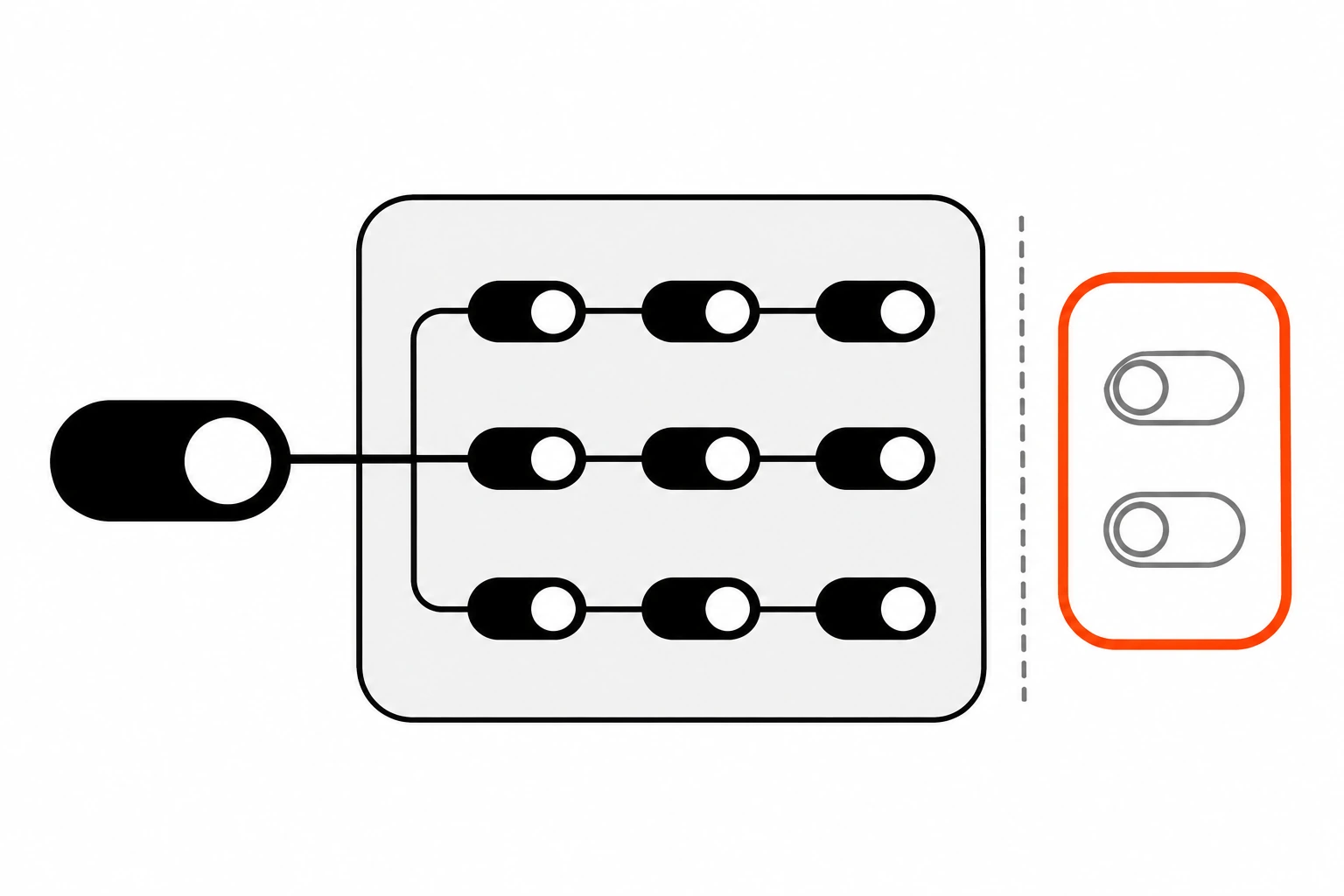
Which tsconfig flags does strict mode not include?
Several of the most practical checks sit outside the strict family: noUncheckedIndexedAccess, exactOptionalPropertyTypes, noImplicitOverride, noImplicitReturns, noFallthroughCasesInSwitch and noPropertyAccessFromIndexSignature. They’re left out because they can be noisy on existing code, not because they’re less valuable. You turn each one on by name.
This is the tsconfig block I start from on new projects:
{
  "compilerOptions": {
    "strict": true,
    "noUncheckedIndexedAccess": true,
    "exactOptionalPropertyTypes": true,
    "noImplicitOverride": true,
    "noImplicitReturns": true,
    "noFallthroughCasesInSwitch": true
  }
}
Writing "strict": true out is redundant on 6.0 and later. I keep it anyway. It documents intent, and it protects anyone still running an older compiler in CI.
Here’s how I’d rank the extras by how often they catch real bugs:
| Flag | Catches | Noise on old code |
|---|---|---|
noUncheckedIndexedAccess | arr[i] or obj[key] that might not exist | High |
noImplicitReturns | Functions where some paths forget to return | Low |
noFallthroughCasesInSwitch | A case that runs into the next one by accident | Low |
noImplicitOverride | Subclass methods that silently stop overriding after a rename | Low |
exactOptionalPropertyTypes | Setting an optional property to undefined when it should be absent | Medium to high |
noPropertyAccessFromIndexSignature | Dot access on keys that only exist through an index signature | Medium |
The low-noise ones are an easy win. Turn them on today and you’ll fix a handful of errors at most.
Here’s what noImplicitReturns and noFallthroughCasesInSwitch look like when they fire:
function label(n: number) {
  if (n > 0) {
    return 'positive';
  }
}
// error TS7030: Not all code paths return a value.

switch (plan) {
  case 'free':
    showUpgrade();
  case 'pro':
    showBilling();
    break;
}
// error TS7029: Fallthrough case in switch.
Both are bugs I’ve shipped before. Neither needs a clever type to catch.
What does noUncheckedIndexedAccess catch?
It adds undefined to the type of any element you read through an index, like arr[0] or record[key]. Without it, TypeScript assumes every index exists, so scores[0].toFixed() compiles even when the array is empty. With it, you have to check the value first, which is exactly what the runtime needs.
This is the flag I’d add first if I could only pick one. Arrays and lookup objects are everywhere, and strict mode trusts them completely.
const scores: number[] = [];
const first = scores[0];

first.toFixed(1);
// with noUncheckedIndexedAccess:
// error TS18048: 'first' is possibly 'undefined'.

const prices: Record<string, number> = { basic: 9 };
const pro = prices['pro'];

pro.toFixed(2);
// error TS18048: 'pro' is possibly 'undefined'.
The fix is usually small. An early return, a default with ??, or a guard:
const pro = prices['pro'] ?? 0;

const first = scores[0];
if (first === undefined) return;
first.toFixed(1);
It doesn’t make everything worse, though. A for...of loop or .map() still gives you plain number, since those only visit elements that exist. Tuples with a fixed length keep their exact types too. The errors cluster around classic for (let i = 0; ...) loops and lookups by key, which are the places where bugs hide anyway.
The noUncheckedIndexedAccess reference shows the index signature case in more detail.
When is exactOptionalPropertyTypes worth turning on?
Turn it on when the difference between a missing property and a property set to undefined matters to your code. That’s common with API payloads, PATCH requests, settings objects and anything checked with the in operator. It’s the noisiest extra flag on old code, so I add it to new projects first and older ones last.
Without the flag, theme?: 'dark' | 'light' quietly means 'dark' | 'light' | undefined. With it, the property is either a real value or not there at all.
interface Settings {
  theme?: 'dark' | 'light';
}

const s: Settings = { theme: undefined };
// error TS2375: Type '{ theme: undefined; }' is not assignable to
// type 'Settings' with 'exactOptionalPropertyTypes: true'.
Why care? Because { theme: undefined } and {} behave differently at runtime. 'theme' in s is true for the first. JSON.stringify drops it, but a spread like { ...defaults, ...s } will happily overwrite a real default with undefined. I’ve debugged that one more than once.
If a property really can be explicitly undefined, say so: theme?: 'dark' | 'light' | undefined. Now the type tells the truth. This pairs nicely with the patterns in my posts on discriminated unions in TypeScript and the satisfies operator, where precise object types are the whole point.
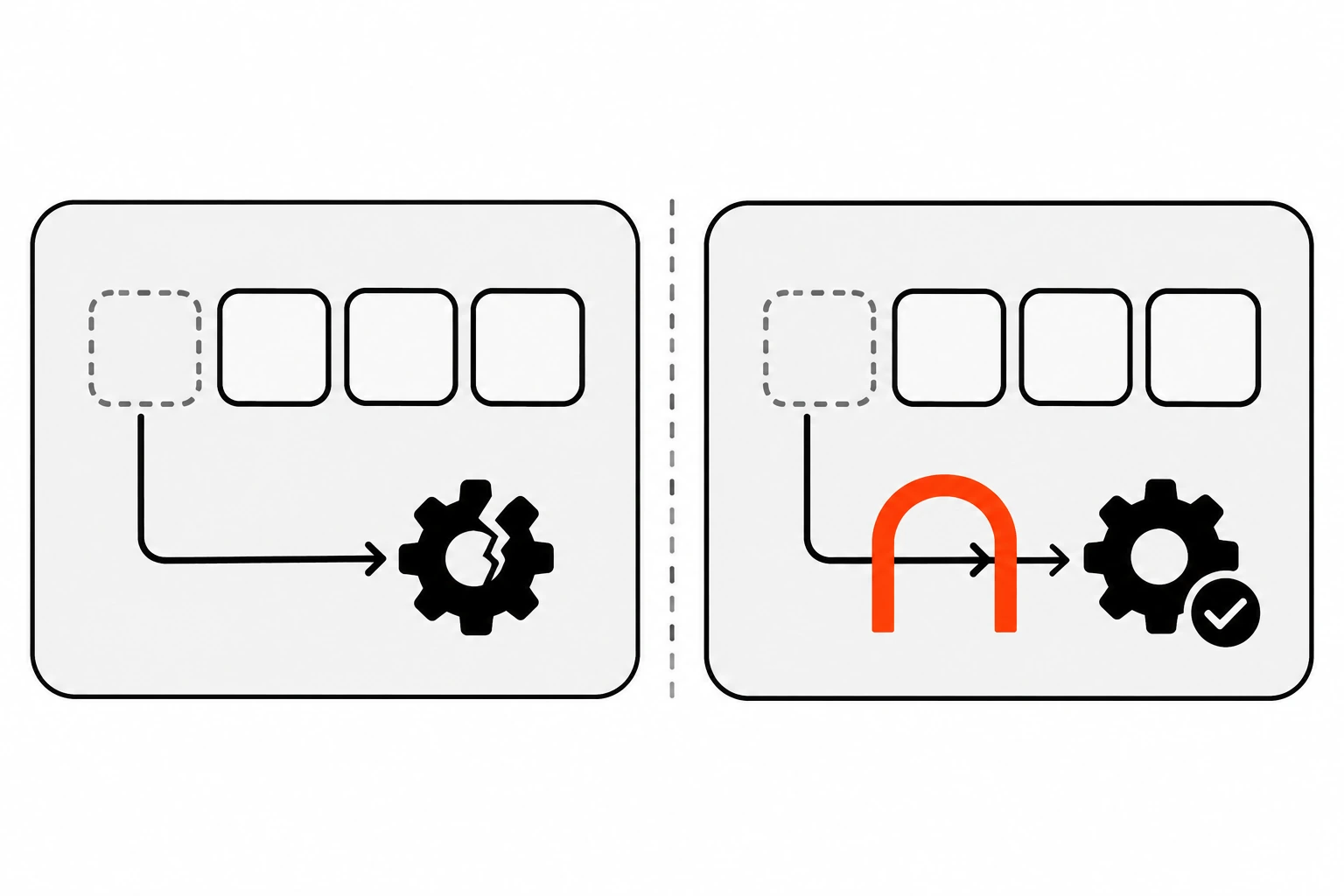
How do you migrate an existing codebase to TypeScript strict mode?
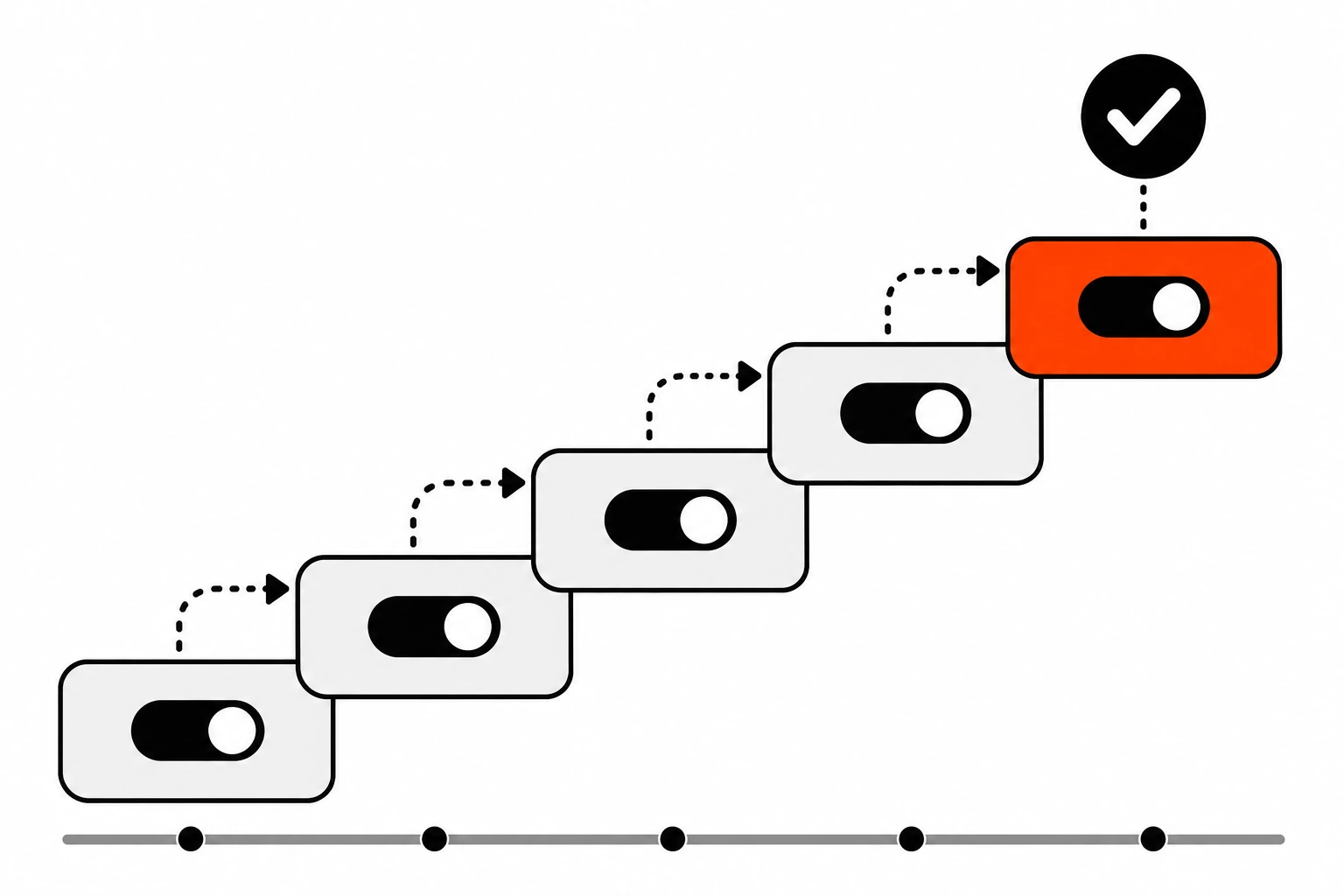
Turn strict on, then temporarily switch off the two noisiest flags, strictNullChecks and noImplicitAny. Fix everything else, re-enable noImplicitAny, fix those errors, then re-enable strictNullChecks. Keep the build passing after every step so the work can ship in small pull requests instead of one giant branch.
Here’s the starting config for a migration:
{
  "compilerOptions": {
    "strict": true,
    "noImplicitAny": false,
    "strictNullChecks": false
  }
}
Individual flags override strict, so this gives you most of the family right away. The remaining errors are usually few, things like this typing and class fields.
Then I work through it in this order:
- Fix the leftover errors from the rest of the strict family. Usually a short list.
- Set
noImplicitAnyback totrue. Add types to function parameters, starting with shared utilities, since their types flow into everything else. - Set
strictNullChecksback totrue. This is the big one. Work folder by folder and handleundefinedwhere it really can happen. - Add the low-noise extras:
noImplicitReturns,noFallthroughCasesInSwitch,noImplicitOverride. - Add
noUncheckedIndexedAccess, thenexactOptionalPropertyTypeslast.
On bigger repos I sometimes run a second config just for the folders that are already clean:
{
  "extends": "./tsconfig.json",
  "compilerOptions": {
    "noEmit": true,
    "strictNullChecks": true,
    "noImplicitAny": true
  },
  "include": ["src/lib/**/*", "src/api/**/*"]
}
Save it as tsconfig.strict.json and run tsc -p tsconfig.strict.json in CI. Each pull request moves one more folder into the include list. The main build stays green the whole time, and nobody has to freeze work for a migration sprint.
One warning. Files outside the list still get checked if a strict file imports them. So start with leaf folders that don’t pull in much.
How do you check which strict flags are actually on?
Run tsc --showConfig in the project folder. It prints the final compiler options after every extends chain is merged, so you can see exactly what you’ve set. Settings you never wrote, including defaults like strict on 6.0, don’t appear, so read it together with your TypeScript version.
This matters more than it sounds. Many projects extend a shared base, like an internal package or a framework preset, and override bits of it. I’ve opened repos where "strict": true sat in the base file and a later config quietly switched strictNullChecks back off.
npx tsc --version
npx tsc --showConfig
Also check that your type check actually runs. Bundlers that strip types, and Node’s own type stripping, don’t type-check anything. A strict config only helps if tsc --noEmit (or your framework’s build step) runs in CI and fails the build on errors.
What mistakes make strict mode less useful?
The big ones are casting with as any, sprinkling non-null assertions (!), using @ts-ignore instead of @ts-expect-error, and turning off a whole flag to silence one file. Each of these keeps the compiler quiet while the bug stays exactly where it was. Strict mode only helps if you let it complain.
Here’s what I flag in code review:
as anyto make an error disappear. If the type is genuinely unknown, useunknownand narrow it.user!.emaileverywhere. One!with a comment explaining why the value must exist is fine. Twenty is a missing null check.@ts-ignore. Prefer@ts-expect-error, which fails the build once the underlying error is fixed, so stale suppressions don’t pile up.- Trusting API responses.
await res.json()has no real type, whatever your annotation says. Validate it at the boundary, for example with Zod schemas in TypeScript. - Setting
"strict": falsein a shared base config because one legacy folder fails. - Treating
skipLibCheckas a strictness setting. It only skips checking.d.tsfiles, and it doesn’t make your own code any looser or safer.
None of this needs new tooling. It’s mostly habits.
If you want one thing to try this week, open your tsconfig, add noUncheckedIndexedAccess and run tsc --noEmit. Count the errors. Every one of them is a place where your code assumed an element exists and never checked.