WordPress Transients API: How to Cache Data Without Getting Burned
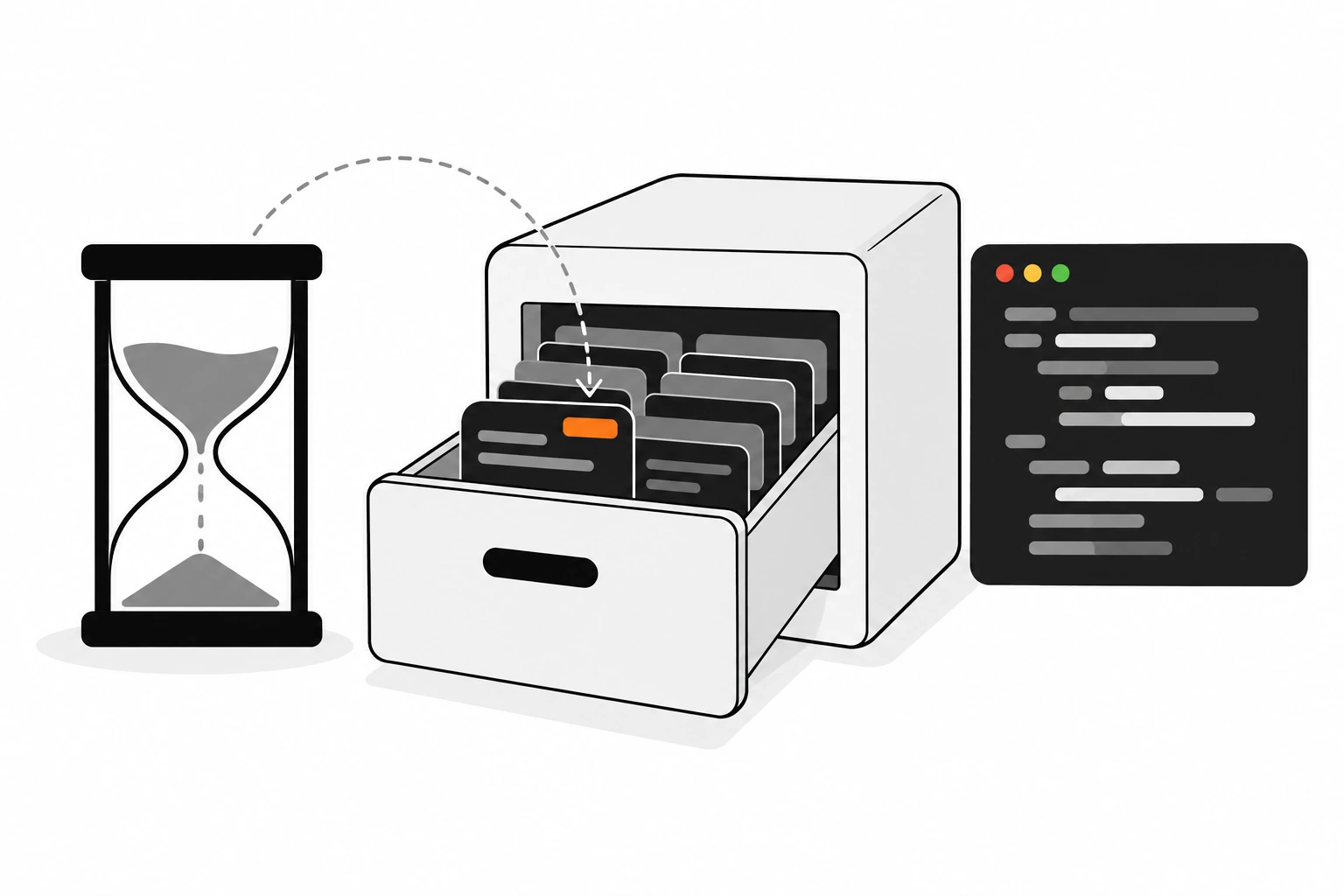
Some code in a WordPress site is slow for a good reason. A call to an outside API. A heavy WP_Query with meta filters. A block of HTML built from three different data sources. Running that work on every page view is wasteful, and the WordPress Transients API exists so you don’t have to. You save the result with a name and an expiry, and you read it back on the next request.
It looks like the simplest API in core. Three functions and you’re done. But I’ve debugged enough sites to know transients cause their own problems when people treat them like permanent storage. Values vanish early. Lookups return false and code breaks. The options table fills up with thousands of rows nobody remembers creating. This guide covers how transients actually behave, so your cache stays a cache.
Key takeaways
- The WordPress Transients API stores cached data with a name and a maximum lifetime. The expiry is a ceiling, not a promise.
- Without a persistent object cache, transients live in
wp_optionsas_transient_and_transient_timeout_rows. With Redis or Memcached, they skip the database entirely.get_transient()returnsfalseon a miss, so always check with===and never store a plain boolean.- Transients with no expiration are autoloaded on every request. Give almost every transient an expiry.
- Expired transients are cleaned up when read or by a daily WP-Cron event, not the moment they expire.
- Use a short lock or a stale copy to stop many requests rebuilding the same expensive value at once.
Short answer: use set_transient() to cache a value, get_transient() to read it and delete_transient() to clear it. Always set an expiration with constants like HOUR_IN_SECONDS. Treat every read as possibly missing, check for false with ===, rebuild on a miss, and delete the transient when the underlying data changes.
What is the WordPress Transients API?
The WordPress Transients API is a core caching layer for temporary data. You store a value under a name with a maximum lifetime in seconds, and WordPress returns it until it expires or gets removed. It works like the Options API with an expiry added, and caching plugins can move it into fast memory.
The official Transients handbook page describes it as a standard way to store cached data in the database temporarily. That word “temporarily” matters more than most people think.
The handbook is also clear that you should never assume a transient is in the database, and that it might not be there before its expiry time. So the right mental model isn’t “a setting that expires”. It’s “a cache entry that might be gone at any moment, and is definitely gone after the deadline”.
I reach for transients when something is expensive to compute and fine to be a little stale. Remote API responses. Aggregated counts. A rendered list of related posts. Not for anything a user saved and expects to see again.
How do set_transient, get_transient and delete_transient work?
set_transient() saves a value under a name with an expiration in seconds. get_transient() returns that value, or false if it doesn’t exist or has expired. delete_transient() removes it early. Complex values like arrays and objects are serialized for you, so you can cache query results directly.
Here’s the basic read, rebuild and save pattern. Almost every transient I write looks like this:
<?php
function dp_get_popular_posts() {
	$posts = get_transient( 'dp_popular_posts' );

	if ( false === $posts ) {
		// Cache miss: do the expensive work.
		$query = new WP_Query( array(
			'posts_per_page' => 5,
			'meta_key'       => 'dp_views',
			'orderby'        => 'meta_value_num',
			'no_found_rows'  => true,
		) );

		$posts = wp_list_pluck( $query->posts, 'ID' );

		set_transient( 'dp_popular_posts', $posts, 6 * HOUR_IN_SECONDS );
	}

	return $posts;
}
Notice that I cache the post IDs, not the whole WP_Query object. The handbook example caches the full object, and that works, but a short array of IDs is smaller to serialize and easier to inspect later.
Calling set_transient() again on an existing name with an expiration updates the value and pushes the expiry forward. Calling delete_transient() returns true if something was actually deleted.
Which expiration constants should I use for transients?
WordPress defines time constants in seconds: MINUTE_IN_SECONDS, HOUR_IN_SECONDS, DAY_IN_SECONDS, WEEK_IN_SECONDS, MONTH_IN_SECONDS and YEAR_IN_SECONDS. Use them instead of raw numbers like 43200. Twelve times HOUR_IN_SECONDS reads clearly in a code review, nobody has to do the math, and the intent stays obvious when someone changes the number a year later.
These were added in WordPress 3.5. Their values, straight from the handbook:
| Constant | Value |
|---|---|
MINUTE_IN_SECONDS | 60 |
HOUR_IN_SECONDS | 60 * MINUTE_IN_SECONDS |
DAY_IN_SECONDS | 24 * HOUR_IN_SECONDS |
WEEK_IN_SECONDS | 7 * DAY_IN_SECONDS |
MONTH_IN_SECONDS | 30 * DAY_IN_SECONDS |
YEAR_IN_SECONDS | 365 * DAY_IN_SECONDS |
Pick the expiry based on how stale the data is allowed to get, not on how slow it is to build. A currency rate might be fine for an hour. A list of your latest GitHub repos is fine for a day. If you can’t answer the question “how old can this be before someone notices?”, you probably need invalidation on change as well, which I’ll get to below.
Where are WordPress transients stored?
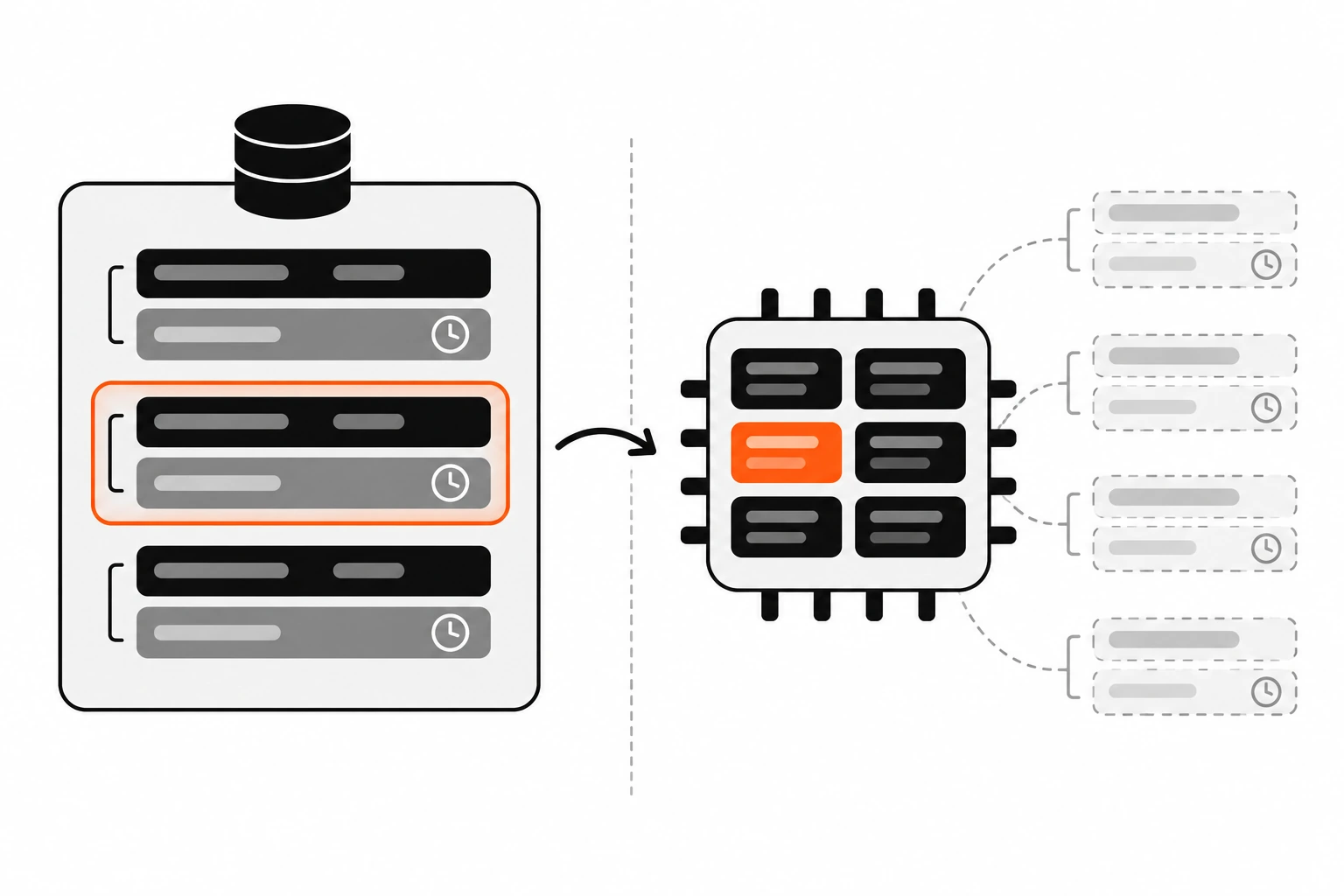
On a site without a persistent object cache, transients are stored in the wp_options table. Each one gets a _transient_ row for the value and, if it expires, a _transient_timeout_ row holding the expiry timestamp. With a persistent object cache like Redis or Memcached, transients skip the database and live in the cache instead.
The WP-CLI transient docs spell this out. On a single site, values go into wp_options. On multisite, normal transients stay in that site’s options table, while site transients go into wp_sitemeta. And when an object cache drop-in is installed, the transient functions simply wrap the WP Object Cache.
So a transient named dp_popular_posts with a six hour expiry becomes two rows on a plain install:
| option_name | option_value | Autoloaded? |
|---|---|---|
_transient_dp_popular_posts | The serialized value | No |
_transient_timeout_dp_popular_posts | Unix timestamp of the expiry | No |
On a site with Redis, neither row exists. You’ll look in the options table, find nothing and wonder why your cache isn’t working. It is working. It’s just somewhere else.
Why can a transient disappear before it expires?
A transient’s expiration is a maximum, not a minimum. With a persistent object cache, the cache can evict entries any time it needs memory, and a flush clears everything. Database upgrades can also clear transients. Your code must expect a miss on any request and rebuild the value without breaking.
The handbook quotes a line from a Trac ticket that I wish every developer read once: transients might disappear one second after you set them, or 24 hours later, but they’ll never be around after the expiration time.
This bites hardest when someone uses a transient as storage. People sometimes keep import progress or a license status in a transient. It works fine on a staging site with no object cache. Then production gets Redis, memory pressure evicts a key, and the “saved” state is gone.
My rule is simple. If losing the value would be a bug, it doesn’t belong in a transient. Use an option, post meta or a custom table.
Why does get_transient return false, and how do I handle a miss?
get_transient() returns false when the transient doesn’t exist, has no value or has expired. Check the result with the identity operator, false === $value, so a stored 0 or empty string isn’t treated as a miss. Never store a plain boolean false, because you can’t tell it apart from a cache miss.
This is straight from the set_transient and get_transient reference notes, and it’s the most common transient bug I find in plugin code.
<?php
// Wrong: an empty array or 0 looks like a miss, so it rebuilds every time.
if ( ! $value = get_transient( 'dp_count' ) ) { /* rebuild */ }

// Right: only false means a miss.
$value = get_transient( 'dp_count' );
if ( false === $value ) { /* rebuild */ }
For true or false results, wrap them. The handbook suggests storing an array or converting to an integer:
<?php
$is_open = true; // Result of some expensive check.

// Store 1 or 0 instead of true or false.
set_transient( 'dp_store_open', (int) $is_open, 10 * MINUTE_IN_SECONDS );

$cached = get_transient( 'dp_store_open' );
if ( false !== $cached ) {
	$is_open = (bool) $cached;
}
The same trick works for “nothing found” results. If an API search returns no matches, cache an empty array. An empty array is a real value, so the next request won’t hit the API again for the same empty answer.
Are transients autoloaded in WordPress?
Transients without an expiration are autoloaded, which means WordPress loads them into memory on every request whether you need them or not. Transients with an expiration are not autoloaded. Setting an expiration on almost every transient keeps your autoloaded options small and your pages faster.
The set_transient reference notes say this plainly. It’s easy to miss, because the expiration argument is optional and defaults to 0, meaning no expiration.
Leave it off and that cached blob rides along with every page load, every admin screen and every AJAX call. One small value doesn’t matter. A plugin that caches a large API response with no expiry does. When I audit a slow site, a bloated set of autoloaded options is one of the first things I check, right next to the issues in my WordPress TTFB guide.
There’s one more quirk worth knowing. If a transient already exists without a timeout and you later set it with an expiration, core deletes and re-adds it as non-autoloaded instead of just updating it. So adding an expiry to old code does fix the autoload problem on the next write.
How are expired transients cleaned up?
Expired transients aren’t removed the moment they expire. On a database setup, get_transient() deletes an expired transient when something reads it, and a daily WP-Cron event called delete_expired_transients clears the rest. Transients with no expiration are never cleaned up automatically, so delete them yourself when they’re no longer needed.
Core schedules that daily event from the admin side and runs the delete_expired_transients() function. It removes each expired _transient_ row together with its timeout row. On single sites it also handles site transients in the options table.
Two catches. First, the function does nothing when an external object cache is in use, because the cache handles expiry itself. Second, it’s a WP-Cron event, so it depends on WP-Cron actually running. If you’ve disabled WP-Cron or traffic is low, cleanup can lag. My post on replacing WP-Cron with a real cron job covers making scheduled tasks run on time.
The handbook also says WordPress cleans out expired transients infrequently. If your code creates a transient per user or per search term, delete them when you’re done instead of waiting for the sweep.
How long can a transient name be?
A transient name passed to set_transient() must be 172 characters or fewer. Site transient names for set_site_transient() must be 167 characters or fewer. WordPress adds a prefix like _transient_timeout_ to build the option name, and the option_name column holds 191 characters, so longer names can silently fail.
The reference notes call out that silent failure. Nothing warns you. The value just never gets cached, and the slow code runs on every request.
This usually happens with dynamic keys built from URLs or query arguments. The fix is to hash the variable part:
<?php
$args = array( 'city' => $city, 'units' => 'metric', 'lang' => 'en' );
$key  = 'dp_weather_' . md5( wp_json_encode( $args ) );
An md5() hash is always 32 characters, so the key stays short no matter what goes in. I also keep a short plugin prefix like dp_ on every key. It avoids collisions and makes the transients easy to find later with WP-CLI.
How do I cache a remote API call with a transient?
Check for a cached copy with get_transient(). On a miss, call the API with wp_remote_get(), check for a WP_Error and a 200 status, decode the body, then save it with set_transient(). Cache failures briefly too, so a down API doesn’t get hammered on every page view.
This is my most common use for transients, and the reason a slow third party API doesn’t slow down every page. Here’s the pattern I use:
<?php
function dp_get_repos( $user ) {
	$key    = 'dp_repos_' . md5( $user );
	$cached = get_transient( $key );

	if ( false !== $cached ) {
		return $cached;
	}

	$url      = 'https://api.github.com/users/' . rawurlencode( $user ) . '/repos';
	$response = wp_remote_get( $url, array( 'timeout' => 3 ) );

	if ( is_wp_error( $response ) || 200 !== wp_remote_retrieve_response_code( $response ) ) {
		// Short negative cache: try again in 5 minutes, not on every request.
		set_transient( $key, array(), 5 * MINUTE_IN_SECONDS );
		return array();
	}

	$data = json_decode( wp_remote_retrieve_body( $response ), true );
	$data = is_array( $data ) ? $data : array();

	set_transient( $key, $data, DAY_IN_SECONDS );

	return $data;
}
A few choices here are deliberate. I set the timeout myself, so a slow API can’t hold a visitor longer than I’ve decided. I store an empty array on failure, never false. And I only keep the decoded data, which is easier to work with than a raw response.
Caching like this also keeps you inside the provider’s limits. If the API you call has quotas, my notes on API rate limiting explain what’s happening on the other side.
What is a cache stampede and how do I prevent it with transients?
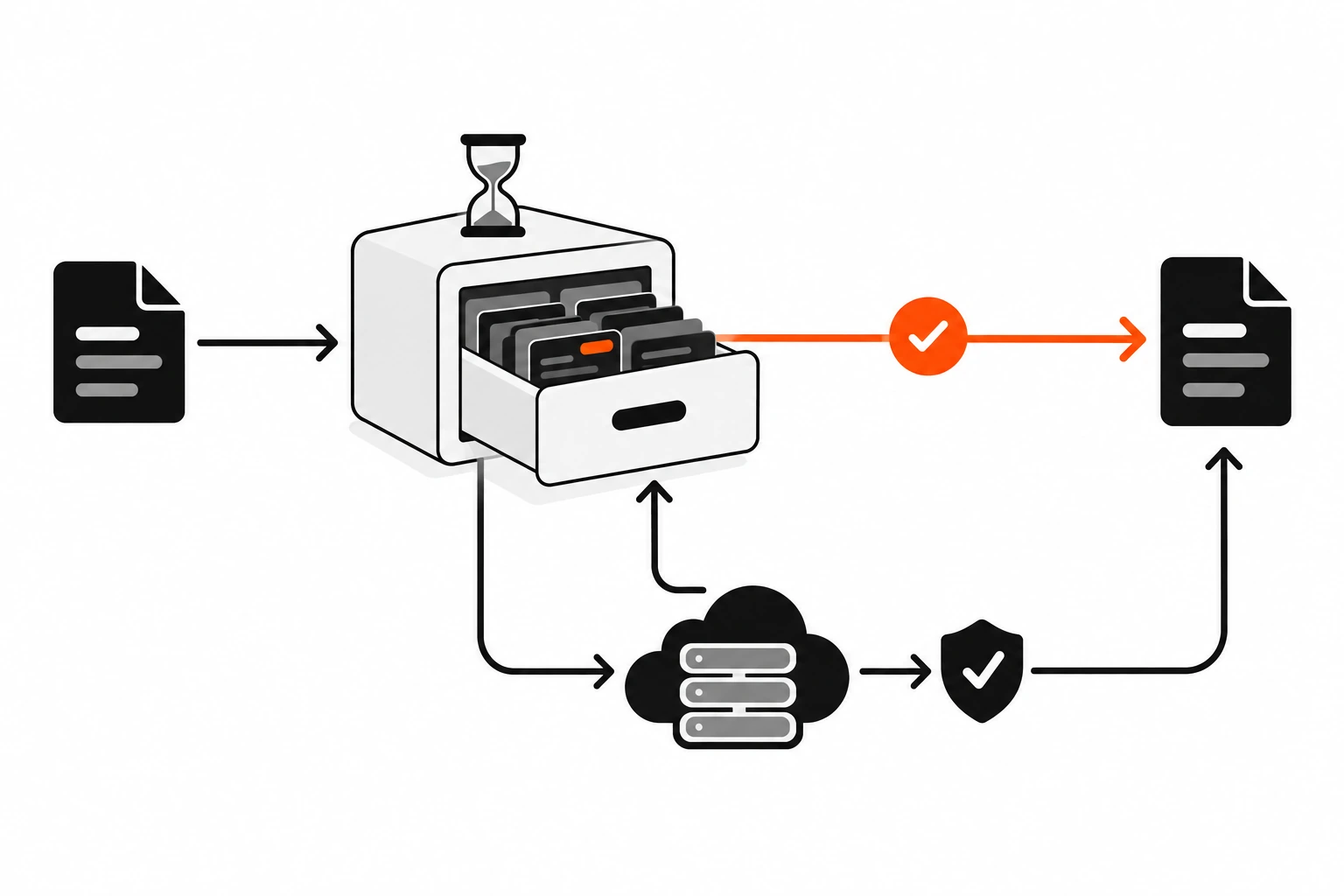
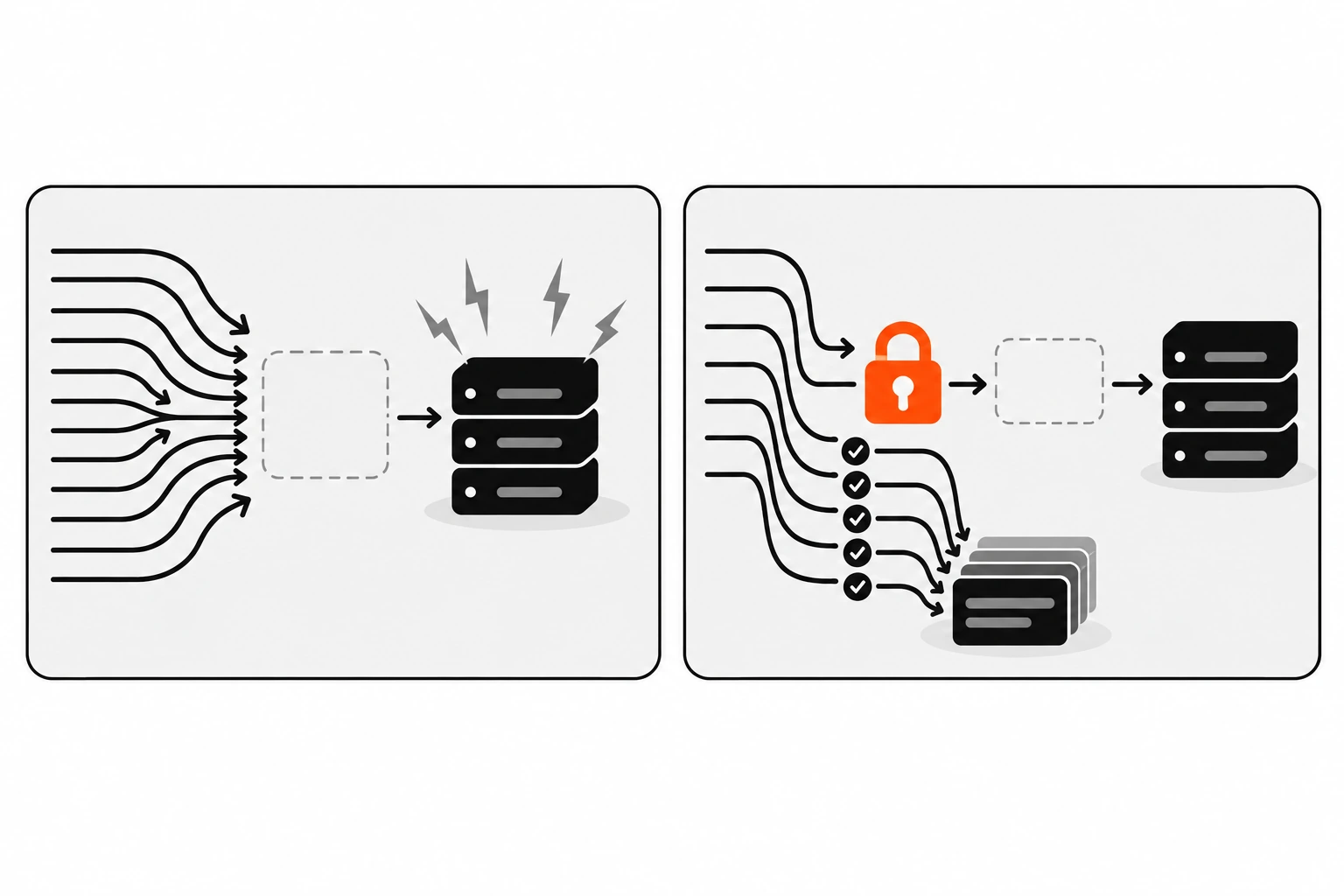
A cache stampede happens when a popular transient expires and many requests miss at the same moment, so they all run the expensive rebuild together. Prevent it with a short lock transient so only one request rebuilds, while the others serve a saved stale copy or a safe fallback.
On a quiet site you’ll never notice. On a busy one, a single expensive query or API call can suddenly run dozens of times in the same second, right when the cache is empty. That’s often the moment a server falls over.
Here’s a simple lock pattern I use. It keeps a stale copy in a normal option, so there’s always something to serve:
<?php
function dp_get_report() {
	$key    = 'dp_report';
	$report = get_transient( $key );

	if ( false !== $report ) {
		return $report;
	}

	// Another request is already rebuilding: serve the last good copy.
	if ( false !== get_transient( $key . '_lock' ) ) {
		return get_option( $key . '_stale', array() );
	}

	set_transient( $key . '_lock', 1, 30 );

	$report = dp_build_report(); // The expensive part.

	set_transient( $key, $report, HOUR_IN_SECONDS );
	update_option( $key . '_stale', $report, false ); // Not autoloaded.
	delete_transient( $key . '_lock' );

	return $report;
}
Be honest with yourself about what this does. Checking and then setting a transient isn’t atomic, so two requests can still slip through in a tiny window. It cuts a stampede down to a trickle, which is usually enough.
If you have a persistent object cache, wp_cache_add() makes a better lock. It only adds data if the key doesn’t already exist and returns false otherwise, so the first request wins.
How do I invalidate a transient when content changes?
Hook delete_transient() to the action that makes your cached data stale. For post lists, use save_post or the more specific save_post_{post_type} hook. For term-based data, use edit_term. Deleting on change means you can use a longer expiry without serving outdated content.
The handbook’s own example clears a transient on edit_term. For posts, it looks like this:
<?php
add_action( 'save_post_post', 'dp_clear_popular_posts', 10, 3 );

function dp_clear_popular_posts( $post_id, $post, $update ) {
	if ( wp_is_post_revision( $post_id ) ) {
		return;
	}
	delete_transient( 'dp_popular_posts' );
}
save_post fires when a post or page is created or updated, including imports and quick edits. The save_post_{post_type} variant only fires for one post type, so your callback doesn’t run when someone saves a page or a menu item.
What about keys you can’t name in advance, like one transient per search term? Deleting them by prefix with a SQL LIKE query only works when transients live in the database. With an object cache, those rows don’t exist. A safer approach is a version number in the key. Store a version in an option, build keys like dp_search_v3_ plus a hash, and bump the version on save. Old keys just stop being read and expire on their own.
Should I use transients, wp_cache functions or options?
Use transients for data that should expire and can be rebuilt. Use wp_cache_get() and wp_cache_set() for data you only need during one request, unless a persistent object cache is installed. Use options for settings and state that must survive. Choosing by “can I lose this?” avoids most caching bugs.
They overlap, which is where the confusion comes from. Here’s how I decide:
| Transients | Object cache (wp_cache_*) | Options | |
|---|---|---|---|
| Lasts between requests | Yes (database or object cache) | Only with a persistent object cache | Yes |
| Has an expiry | Yes, a maximum lifetime | Optional | No |
| Can vanish early | Yes | Yes | No |
| Good for | API responses, heavy queries, rendered fragments | Repeated lookups in one request, or fast shared cache with Redis | Settings, saved state, flags |
| Main risk | Treating it as storage | Assuming it persists without a drop-in | Autoload bloat |
The default WordPress object cache is non-persistent. It lives in memory for one request and is gone after. That’s why transients are the better default for cross-request caching in plugins and themes. They work everywhere, and they get faster automatically when a host adds Redis.
None of this replaces page or browser caching. Transients cache data inside PHP. Cache-Control headers decide how long browsers and CDNs keep the finished response. You usually want both.
How do I debug transients with WP-CLI?
WP-CLI has a wp transient command with subcommands to get, set, delete, list, patch and pluck transients, plus type to show whether they’re stored in the database or an object cache. Use wp transient list with –search to find your keys and wp transient delete –expired to clear stale rows.
These are the commands I run most when something looks off:
- Run
wp transient typeto see whether transients are going to the database or an object cache. - Run
wp transient list --search="dp_*" --human-readableto see your keys and how long each has left. - Run
wp transient get dp_popular_poststo inspect one value. - Run
wp transient delete dp_popular_poststo force a rebuild on the next request. - Run
wp transient delete --expiredto clear expired rows from the database.
wp transient type
wp transient list --search="dp_*" --human-readable
wp transient get dp_popular_posts --format=json
wp transient delete --expired
wp transient delete --expired --network
Add --network to work with site transients. And be careful with wp transient delete --all on a live site. It clears every transient, including ones core and other plugins created, so the next requests do a lot of rebuilding.
What are the most common transient mistakes?
The usual mistakes are storing data you can’t afford to lose, leaving out the expiration so values autoload forever, checking for a miss with a loose comparison, storing boolean false, using keys longer than 172 characters, and never deleting per-user or per-query transients. Each one is a small fix.
Here’s the checklist I go through when reviewing transient code:
- Every
set_transient()call has an expiration, unless there’s a strong reason not to. - Every read uses
false ===orfalse !==, never a loose truthy check. - No plain booleans are cached. Use 1 and 0 or an array.
- Dynamic keys are hashed and prefixed, and stay well under 172 characters.
- Failures from remote calls are cached briefly, so a broken API isn’t hit on every request.
- Popular, expensive transients have a lock or a stale fallback.
- Content changes clear the right transient through
save_post,edit_termor a version bump. - Nothing important lives only in a transient.
Transients are one of the easiest wins in WordPress performance work. A few lines can take a slow page and make it fast. Just remember what they are. A cache with a deadline, that might be empty on any request. Write your code for the miss, and the hit takes care of itself.