

On this page
- Key takeaways
- What is Next.js use cache?
- Why does Cache Components matter in November 2026?
- How do I turn on Cache Components?
- How does “use cache” decide what to cache?
- Which cacheLife profile should I use?
- What’s the difference between revalidateTag and updateTag?
- How do I refresh a Next.js page when a WordPress post changes?
- Does “use cache” survive serverless and deploys?
- How do I migrate from revalidate, force-static and unstable_cache?
- Which Next.js security patches affect “use cache”?
- What mistakes should I avoid with “use cache”?
- Need help moving your Next.js or headless WordPress site to Cache Components?
Next.js use cache: How Cache Components Work in 2026. How Next.js use cache works with Cache Components: cacheLife profiles, revalidateTag vs updateTag, WordPress webhooks and the Nov 2026 security patches. . React & Next.js.
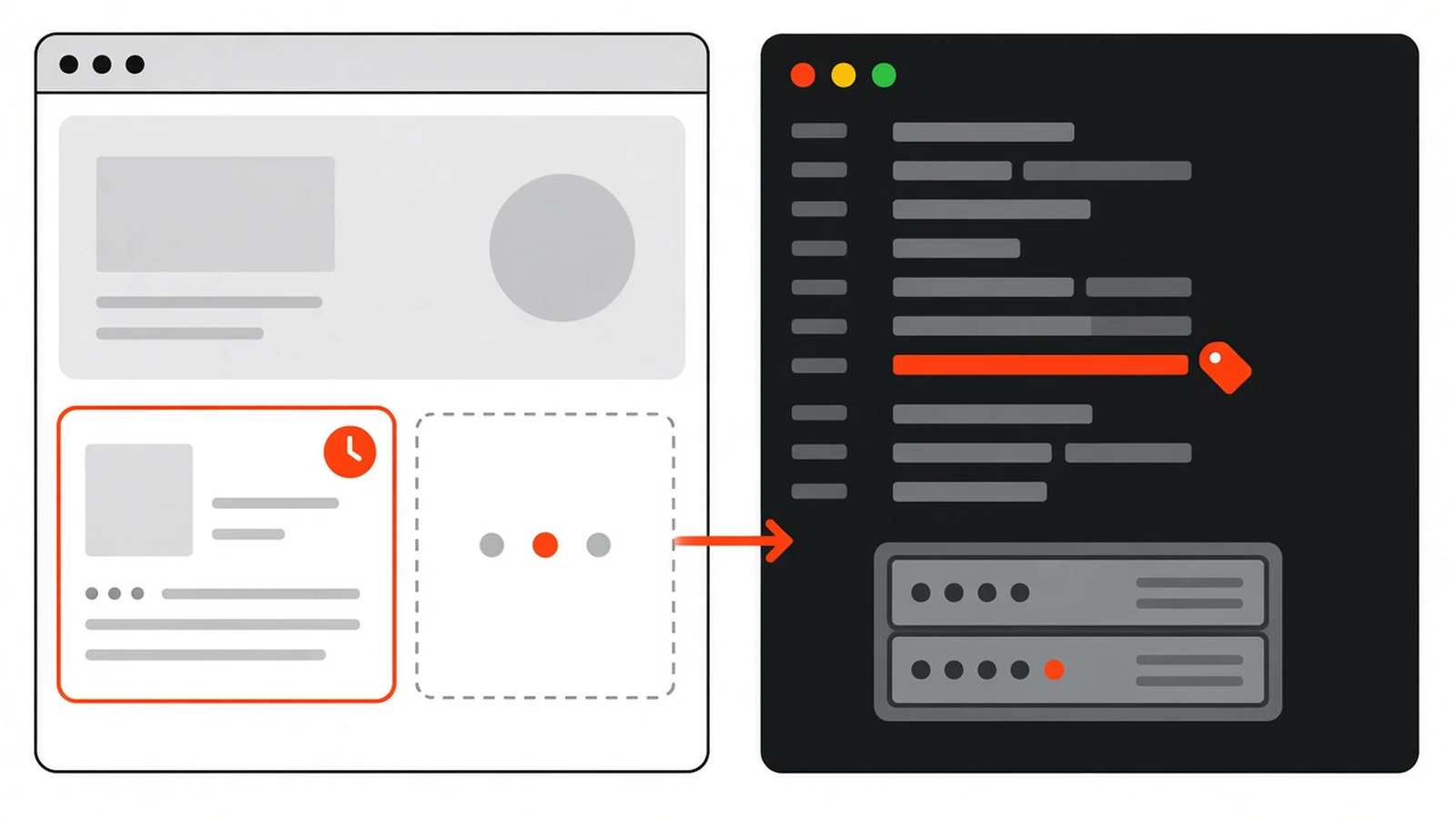
Next.js use cache is a directive that stores the result of an async function or Server Component, so Next.js can reuse it across requests and put it in the prerendered page shell. You switch it on with Cache Components, give it a lifetime with cacheLife, and clear it on demand with cacheTag plus revalidateTag or updateTag.
I’m writing this in November 2026, and the timing matters. Next.js 16.4 shipped on October 6 and, for the first time, the Next.js team recommends Cache Components for every app. New projects from create-next-app have it switched on, and the team says it becomes the default in Next.js 17. Two security releases since then have touched use cache directly.
My own site runs as headless WordPress with a Next.js front end, so a lot of this comes from wiring those two together. Below is how the model works, the settings I actually reach for, and the patches you shouldn’t skip.
Key takeaways#
- With Cache Components on, nothing is cached unless you add
'use cache'. Data is dynamic by default. - Call
cacheLifein every cached scope. Without it, the default profile revalidates on the server every 15 minutes. revalidateTagnow takes a second argument. Pass'max'for stale-while-revalidate; the one-argument form is deprecated.updateTagonly works in Server Actions. Webhooks from a CMS needrevalidateTag.- By default, entries live in memory per server instance and never carry over to a new deploy.
- If you use Cache Components, run Next.js 16.4.5 or later.
What is Next.js use cache?#
It’s a directive you put at the top of an async function, component or file. Next.js stores what that code returns and reuses it for later calls with the same inputs. The Next.js team describes it as a component-level version of the Cache-Control header: a caching rule for one piece of your tree instead of the whole response.
You can use it at two levels. Data-level caching wraps a function like getServices(). UI-level caching wraps a whole component, layout or page. Either way, the function has to be async.
import { cacheLife } from 'next/cache'

export async function getServices() {
  'use cache'
  cacheLife('days')

  const res = await fetch('https://cms.example.com/wp-json/wp/v2/pages?slug=services')
  return res.json()
}
The big change from the older App Router is the default. With Cache Components enabled, fetches and database calls are uncached unless they run inside a use cache scope. Anything that must be fresh on every request goes inside a <Suspense> boundary and streams in after the static shell. If you read my post on Next.js Server Components, this is the same server-first model with the caching decisions written down where the data is.
I like that. You can read a file and know what it caches, without remembering which route segment config sits three folders up.
Why does Cache Components matter in November 2026?#
Because it isn’t an experiment you can ignore anymore. Next.js 16.4, released on October 6, 2026, recommends Cache Components for every app and enables it in new create-next-app projects. The team says it becomes the default in Next.js 17. If you look after a Next.js site, you’ll be working with this model soon.
A quick history helps. use cache appeared as an experimental feature in Next.js 15 and became stable in 16.0, behind the cacheComponents flag. Version 16.4 added ensureStatic, which fails the build if a dynamic component sneaks into a route you meant to keep static, plus navigation() and prefetch() to control what loads during a prefetch.
If you own a business site rather than write the code, here’s the practical bit. A page can be served as a prerendered shell, even from a CDN, while only the personal or live parts render per request. That’s where the speed comes from. The catch is that a caching mistake can show stale content, or in rare cases someone else’s, so it’s worth setting up carefully.
How do I turn on Cache Components?#
You need Next.js 16. Set cacheComponents: true in next.config.ts, and set partialPrefetching explicitly as well, because leaving it unset logs a warning. Then remove any runtime export from your routes. Cache Components requires the Node.js runtime and doesn’t support that route segment config, even when it says nodejs.
// next.config.ts
import type { NextConfig } from 'next'

const nextConfig: NextConfig = {
  cacheComponents: true,
  partialPrefetching: true,
}

export default nextConfig
On an existing app, this is the order I’d follow:
- Upgrade to the latest Next.js 16.4 patch release first, and get the app building cleanly.
- Turn on both flags in
next.config.ts. - Delete every
dynamic,revalidateandfetchCacheroute segment config. With the flag on, they error. - Run
next devand work through the dev overlay. Each insight tells you to cache the data withuse cacheor wrap it in<Suspense>. - For routes you can’t fix yet, add
export const instant = falseto that segment, or runnpx @next/codemod@canary cache-components-instant-false ./appto add it everywhere. - Fix synchronous calls like
Date.now(),Math.random()andcrypto.randomUUID()in prerendered code.instant = falsedoesn’t clear those errors.
The full mapping lives in the official Migrating to Cache Components guide. I’d keep it open in a tab while you work.
How does “use cache” decide what to cache?#
By its inputs. The cache key combines the build ID, a secure hash of the function’s location and signature, and its serialized arguments or props. Variables the function captures from an outer scope are bound as arguments automatically, so change any input and you get a separate entry. Same inputs return the same stored output.

That means arguments must be serializable. Strings, numbers, booleans, plain objects, arrays, Dates, Maps, Sets, typed arrays and ArrayBuffers are fine. Class instances, symbols and URL instances aren’t. Functions and JSX can only pass through untouched, which is how you put dynamic children inside a cached wrapper.
The rule that trips people up: a cached function can’t read the request. Calling cookies(), headers() or searchParams inside it fails, and so does a helper it calls that reads them. Read the value outside, then pass it in.
import { Suspense } from 'react'
import { cookies } from 'next/headers'
import { cacheLife } from 'next/cache'

export default function Page() {
  return (
    <Suspense fallback={<p>Loading prices...</p>}>
      <Prices />
    </Suspense>
  )
}

// Not cached: reads the request
async function Prices() {
  const currency = (await cookies()).get('currency')?.value ?? 'INR'
  return <PriceList currency={currency} />
}

// Cached: currency is now part of the cache key
// (getPrices and PriceTable stand in for your own code)
async function PriceList({ currency }: { currency: string }) {
  'use cache'
  cacheLife('hours')

  const rows = await getPrices(currency)
  return <PriceTable rows={rows} />
}
Now INR and USD visitors get separate entries, and the rest of the page still prerenders. It’s the pattern I use most. If you truly can’t refactor that way, there’s 'use cache: private', which can read cookies and headers directly but only caches the result in the browser.
Which cacheLife profile should I use?#
Match the profile to how often the content really changes: 'days' for blog posts, 'hours' for prices or stock, 'max' for content you’ll clear yourself with a tag. Call cacheLife in every cached scope. If you skip it, the default profile applies, which revalidates on the server every 15 minutes.
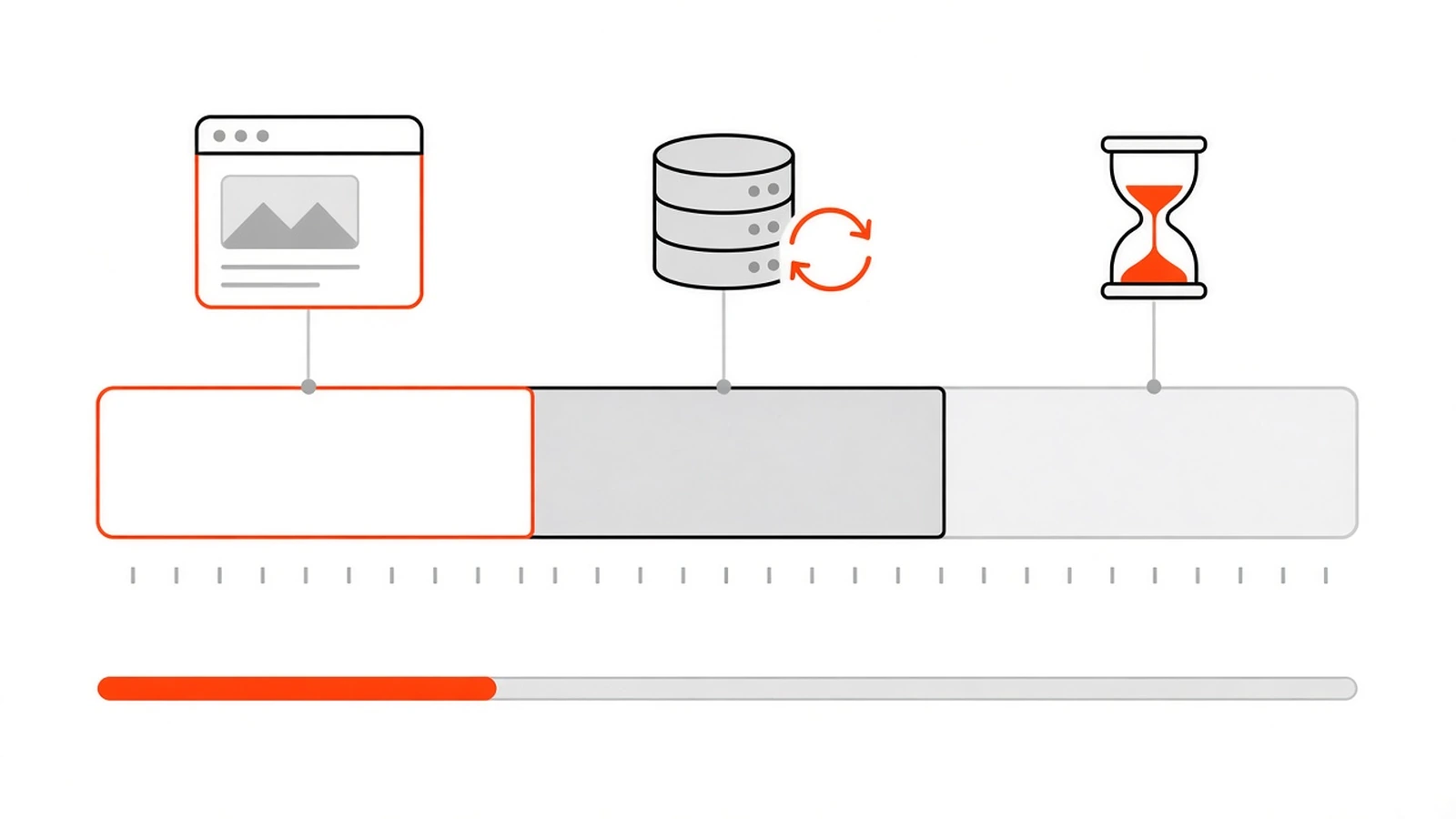
Each profile sets three numbers. stale is how long the browser’s router can reuse the result without asking the server; the router enforces at least 30 seconds. revalidate is when the server starts a background refresh on the next request. expire is the point where, with no traffic, the next request waits for fresh content instead of getting the old copy.
| Profile | stale | revalidate | expire | Good for |
|---|---|---|---|---|
default |
5 minutes | 15 minutes | never | What you get with no cacheLife call |
seconds |
30 seconds | 1 second | 1 minute | Live scores, real-time numbers |
minutes |
5 minutes | 1 minute | 1 hour | Feeds, news lists |
hours |
5 minutes | 1 hour | 1 day | Prices, inventory |
days |
5 minutes | 1 day | 1 week | Blog posts, articles |
weeks |
5 minutes | 1 week | 30 days | Newsletters, podcasts |
max |
5 minutes | 30 days | 1 year | CMS content you invalidate by tag |
The values come from the official cacheLife reference. One detail matters for page speed: a short-lived cache, meaning the 'seconds' profile, revalidate: 0, or an expire under five minutes, is left out of the prerendered shell and becomes a hole filled at request time. Wrap it in <Suspense>.
Nesting has a guard rail too. Put a short-lived cache inside another use cache that has no cacheLife of its own, and the build fails on purpose.
You can also define your own named profiles under the cacheLife key in next.config.ts, or pass an object like cacheLife({ revalidate: 3600 }) for a one-off.
What’s the difference between revalidateTag and updateTag?#
updateTag expires a tag immediately, so the person who made a change sees it on the next request, but it only runs inside Server Actions. revalidateTag works in Server Actions and Route Handlers. With the recommended 'max' profile, it keeps serving the stale version while a fresh one builds in the background.
| Call | Where it works | Next visitor gets | Use it for |
|---|---|---|---|
updateTag('posts') |
Server Actions only | Waits for fresh data | A user editing their own data and expecting to see it |
revalidateTag('posts', 'max') |
Server Actions, Route Handlers | Stale content while it refreshes | CMS publishes, catalogues, most webhooks |
revalidateTag('posts', { expire: 0 }) |
Server Actions, Route Handlers | A blocking refresh, no stale copy | A webhook where the old content must go now, like a wrong price |
revalidatePath('/blog') |
Server Actions, Route Handlers | That path’s cached data refreshed | When you don’t know which tags a page uses |
The single-argument revalidateTag('posts') is deprecated and currently behaves like { expire: 0 }. If you copied older snippets, including from my own Server Actions guide, that’s the line to update. Also note that a revalidation is triggered by the next request, not by the call itself, so tagged pages refresh as people visit them rather than all at once.
The revalidateTag reference recommends tags over paths when you can, because they’re more precise.
How do I refresh a Next.js page when a WordPress post changes?#
Tag the cached fetch with the post’s slug, then have WordPress call a signed Route Handler whenever a post is saved. The handler checks the signature and calls revalidateTag(tag, 'max'). Pair it with cacheLife('max'), so the content only changes when you publish, not because a timer ran out.

This is the setup the Next.js docs suggest for CMS content, and it’s how I think about my own blog. Here it is in four steps.
- Cache the WordPress fetch in Next.js with a long lifetime and two tags: one for all posts, one for this post.
- In WordPress, hook into
wp_after_insert_post, which fires once a post, its terms and its meta have been saved. Skip revisions and autosaves. - Sign the request body with HMAC-SHA256 and a shared secret, and send it to a Route Handler.
- In the Route Handler, verify the signature against the raw body, allow only known tag shapes, and revalidate each tag.
Step one, the cached data function:
// lib/wordpress.ts
import { cacheLife, cacheTag } from 'next/cache'

export async function getPost(slug: string) {
  'use cache'
  cacheLife('max')
  cacheTag('posts', `post-${slug}`)

  const res = await fetch(
    `https://cms.example.com/wp-json/wp/v2/posts?slug=${encodeURIComponent(slug)}`
  )
  const posts = await res.json()
  return posts[0] ?? null
}
Step two and three, on the WordPress side. The fourth hook argument, $post_before, lets you also clear the old slug when someone renames a post:
// In a small plugin or mu-plugin. Define NEXT_REVALIDATE_SECRET in wp-config.php.
add_action( 'wp_after_insert_post', function ( $post_id, $post, $update, $post_before ) {
    if ( 'post' !== $post->post_type || wp_is_post_revision( $post_id ) || wp_is_post_autosave( $post_id ) ) {
        return;
    }

    $tags = array( 'posts', 'post-' . $post->post_name );
    if ( $post_before && $post_before->post_name !== $post->post_name ) {
        $tags[] = 'post-' . $post_before->post_name; // slug changed
    }

    $body = wp_json_encode( array( 'tags' => $tags ) );

    wp_remote_post( 'https://www.example.com/api/revalidate', array(
        'headers'  => array(
            'Content-Type' => 'application/json',
            'X-Signature'  => hash_hmac( 'sha256', $body, NEXT_REVALIDATE_SECRET ),
        ),
        'body'     => $body,
        'timeout'  => 5,
        'blocking' => false,
    ) );
}, 10, 4 );
'blocking' => false keeps the editor fast, but you won’t see failures. Log them somewhere if this matters to you. Step four, the Route Handler:
// app/api/revalidate/route.ts
import { createHmac, timingSafeEqual } from 'node:crypto'
import { revalidateTag } from 'next/cache'

const ALLOWED = /^posts$|^post-[a-z0-9%-]+$/

export async function POST(request: Request) {
  const secret = process.env.REVALIDATE_SECRET
  if (!secret) return Response.json({ ok: false }, { status: 500 })

  const raw = await request.text()
  const given = Buffer.from(request.headers.get('x-signature') ?? '', 'utf8')
  const expected = Buffer.from(
    createHmac('sha256', secret).update(raw).digest('hex'),
    'utf8'
  )

  if (given.length !== expected.length || !timingSafeEqual(given, expected)) {
    return Response.json({ ok: false }, { status: 401 })
  }

  const { tags } = JSON.parse(raw) as { tags?: unknown }
  const valid = Array.isArray(tags)
    ? tags.filter((t): t is string => typeof t === 'string' && ALLOWED.test(t))
    : []

  for (const tag of valid) revalidateTag(tag, 'max')

  return Response.json({ ok: true, revalidated: valid })
}
WordPress stores non-English slugs percent-encoded, which is why the pattern allows %. For a production setup, add a timestamp to the signed body and reject old requests. I covered that, and why timingSafeEqual beats ===, in my post on verifying webhook signatures. If you’ve used WordPress transients, the idea will feel familiar: store, then delete when the source changes.
To test it, update a post and load the page twice. With 'max', the first load may still show the old version while the refresh runs. The second should show the new one. Previews are easier than they sound, too: when Draft Mode is on, cached functions re-run on every request and nothing is saved.
Does “use cache” survive serverless and deploys?#
Not by default. Entries live in memory on each server instance, so on serverless platforms they often don’t persist between requests, and none carry over to a new deploy because the build ID is part of the key. Output prerendered at build time still works normally, and 'use cache: remote' gives you shared runtime storage.
On a self-hosted next start server, entries do persist across requests, and you can cap memory with cacheMaxMemorySize. 'use cache: remote' lets your platform plug in a shared handler such as Redis or a KV store. It costs a network round trip and usually platform fees, so it pays off when the hit rate is high.
Something the use cache docs point out: the old fetch Data Cache and unstable_cache persist across deployments and serverless instances, while use cache doesn’t. If a value must survive a deploy, that difference matters. HTTP caching at the CDN is a separate layer again, which I explained in my Cache-Control headers guide.
How do I migrate from revalidate, force-static and unstable_cache?#
Remove the route segment configs and put the caching next to the data. export const revalidate = 3600 becomes use cache with cacheLife('hours'). force-dynamic simply goes away, because uncached is now the default. unstable_cache keeps working, so you can move it later, and fetch tags become cacheTag calls.
| Before | With Cache Components |
|---|---|
export const revalidate = 3600 |
'use cache' plus cacheLife('hours') |
export const dynamic = 'force-dynamic' |
Delete it |
export const dynamic = 'force-static' |
'use cache' plus cacheLife('max'), and ensureStatic = 'navigation' (16.4+) if it must stay static |
fetch(url, { next: { revalidate, tags } }) |
A use cache function with cacheLife and cacheTag |
unstable_cache(fn, keys, options) |
Keeps working; later, a use cache function with no key array |
unstable_noStore() |
Delete it |
export const dynamicParams = false |
Delete it and call notFound() for unknown params |
generateStaticParams returning [] |
Return at least one real param |
export const runtime = 'edge' |
Remove it; use Proxy for edge behaviour |
You don’t have to do it in one go. Opt every route out with the codemod, get the app building, then convert one route at a time. That’s how I’d handle a client site with real traffic.
Which Next.js security patches affect “use cache”?#
Two recent ones. The October 14, 2026 update (16.4.1) fixed a critical remote code execution issue in use cache functions returning multiple typed arrays. The November 3 security release (16.4.5 and 15.5.29) fixed seven issues, three of them about cached content reaching the wrong user or tenant.
The fix is to upgrade. npm install next@16.4.5 is the minimum on the 16.4 line, and npm’s latest tag showed 16.4.6 when I checked on November 11. If you host on Netlify, their changelog also lists an adapter update.
Reading the advisories also gave me a few habits worth keeping after you patch. These are my takeaways, not official workarounds:
- Tell users and accounts apart with a string ID argument, not a
Blobor other binary argument. - Don’t call the same public
use cachefunction both directly and throughunstable_cachewhen it reads a root parameter like a tenant ID. Pick one. - On self-hosted
next start, setpartialPrefetching: trueexplicitly. One shell poisoning issue only applied with it disabled or unset. - Never cache anything private in a shared entry. If it depends on who’s asking, the “who” belongs in the key.
What mistakes should I avoid with “use cache”?#
Most problems come from forgetting that a cached function can’t see the request. Reading cookies inside it, rendering Date.now() into the shell, or skipping cacheLife and then wondering why content changes every 15 minutes. Each one has a short fix, and the dev overlay usually points straight at it.
- Request APIs inside the cache. This throws
next-request-in-use-cache. On a dynamic route it can passnext buildand fail undernext start, so test the production build. - Passing runtime promises in. Handing a
cookies()promise to a cached component makes the build wait, then time out after 50 seconds. Await it outside and pass the value. - Expecting React.cache to share data. Each
use cachescope gets its own isolatedReact.cache. Use arguments. - Using it in Proxy. Proxy doesn’t apply the directive, and
cacheLifeorcacheTagthrow there. - An empty generateStaticParams. Returning
[]now errors. Return at least one param.
When something looks wrong, turn on verbose cache logging and watch what hits and misses:
NEXT_PRIVATE_DEBUG_CACHE=1 npm run startNeed help moving your Next.js or headless WordPress site to Cache Components?#
If your site runs on Next.js or headless WordPress and you want it patched, upgraded and caching the right things, I can help. Tell me which version you’re on and how your content gets published. I’ll give you an honest read on how much work the move is before you commit to anything.
Get in touch through my contact form or message me on WhatsApp.
Official sources used in this guide: Next.js 16.4 release post, Cache Components, use cache, cacheLife, revalidateTag and Migrating to Cache Components (Next.js docs), the November 2026 Next.js security release, and wp_after_insert_post (WordPress Developer Resources).
Frequently asked questions
Is the single-argument revalidateTag still supported in Next.js 16?
It still runs, but it's deprecated. The one-argument form behaves like passing { expire: 0 }, so the next request waits for fresh data. Pass a second argument instead: 'max' for stale-while-revalidate, or { expire: 0 } when the old content must go immediately. In Server Actions, updateTag is the other option.
Can I use 'use cache' in a Client Component?
Not inside the component itself. Cached functions run on the server. If a file starts with 'use cache', a Client Component can import its exported functions and call them, and they run on the server like a Server Function. The Next.js docs still recommend calling cached functions on the server and passing results down as props.
Does 'use cache' work with Draft Mode and CMS previews?
Yes. When Draft Mode is enabled, every cached function and component re-runs on each request and nothing is saved to the cache, so editors see their latest draft. You can read isEnabled from draftMode() inside a cached scope, but other request APIs like cookies() and headers() are still not allowed there.
Does 'use cache' replace the fetch cache and unstable_cache?
For new code, mostly yes. Fetches inside a 'use cache' scope are cached, and cacheLife and cacheTag replace the revalidate and tags options. But both old APIs keep working with Cache Components. One real difference: the fetch Data Cache and unstable_cache persist across deployments, while 'use cache' entries don't.
Can I use Cache Components on Next.js 15?
No. Cache Components and the stable 'use cache' directive need Next.js 16, where cacheComponents became a top-level config option. 'use cache' was only experimental in Next.js 15. Upgrade to 16 first using the official version 16 upgrade guide, then enable the flag and migrate route by route.
Do I need Vercel to use 'use cache'?
No. It works on a Node.js server and in Docker. Static export isn't supported, and other adapters depend on the platform. On a self-hosted server, entries persist in memory across requests. On serverless hosts they often don't, so check your host's docs or use 'use cache: remote' with a shared cache handler.
Which Next.js version is safe for Cache Components in November 2026?
Use 16.4.5 or later. The November 3, 2026 release fixed seven issues, including three where cached content could reach the wrong user or tenant, and 15.5.29 is the matching patch for 15.5 apps. The October 14 update, 16.4.1, fixed a critical remote code execution bug in use cache functions returning typed arrays.


Comments
No comments yet. Add the first one below.